
kgblacksmith
Members
-
Joined
-
Last visited
Everything posted by kgblacksmith
-
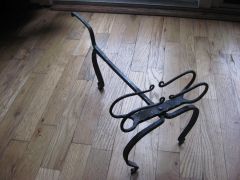 An interesting variation of other toasters I've seen- you evidently really enjoy forge welding!
 -
How do I mount a cast iron firepot in a brick forge? I'm replacing an old firepot, so I don't need to do any major rebuilding. What I really want to know is do I need to use any special kind of mortar, like chimney cement or refractory, or can I use ordinary mortar? How long do I need to let the mortar dry before I can use the forge?
-
Took a closer look at the side of the anvil, and it looks like the remains of a "Trenton" brand stamp. Either way, the anvil looks to be in good shape.
-
Nice anvil! Looks like a Hay-Budden, but I can't be sure. How much does it weigh, and how much does it cost? Usually Ebay is not the greatest place to get blacksmith's tools- too much money, too much junk.
-
Thanks for all of your responses. The forge I use is in a Colonial living history museum, with a bellows for blast. I tried mixing a little anthracite with some soft coal I have left and it worked okay. Since I didn't get a majority of negative responses, I'll try playing around with it and see how it works for me. Thanks again for your help!
-
Has anyone successfully used anthracite coal in their forge? I had some well-intentioned non-blacksmiths give me some, and I don't think it will work.