Skip to content
View in the app

A better way to browse. Learn more.

I Forge Iron

A full-screen app on your home screen with push notifications, badges and more.

To install this app on iOS and iPadOS
  1. Tap the Share icon in Safari
  2. Scroll the menu and tap Add to Home Screen.
  3. Tap Add in the top-right corner.
To install this app on Android
  1. Tap the 3-dot menu (⋮) in the top-right corner of the browser.
  2. Tap Add to Home screen or Install app.
  3. Confirm by tapping Install.

LRWickerDesign

Members
  • Joined

  • Last visited

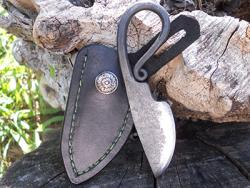
  1. Those are very attractive. I like the organic quality of the spirals. Eye catching and functional too.
  2. That is a nice job, I really like the finish on the wood and the leather strapping for tools. Just beautiful.
  3. I am very impressed by those tools. I would say they are top notch as well. I am in agreement with Brian and others here as to the heat treatment and hardening. I have used the tools I made with Brian and Kainon with great results, sans hardening. Keep up the good work, I am anxious to see more. :)
Account

Navigation

Search

Search

Configure browser push notifications

Chrome (Android)
  1. Tap the lock icon next to the address bar.
  2. Tap Permissions → Notifications.
  3. Adjust your preference.
Chrome (Desktop)
  1. Click the padlock icon in the address bar.
  2. Select Site settings.
  3. Find Notifications and adjust your preference.