Coalforge
Members
-
Joined
-
Last visited
Everything posted by Coalforge
-
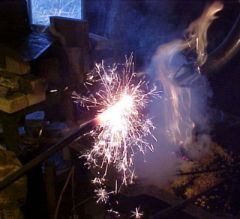 My coal forge using corn for fuel. I did not mix the diesel with the corn. Yes it does get hot.
 -
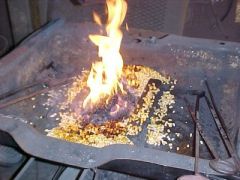 My coal forge using corn for fuel. I did not mix the diesel with the corn.
 -
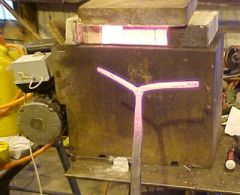 A "forge" made from the burner and firebox from a home heating furnace.
 -
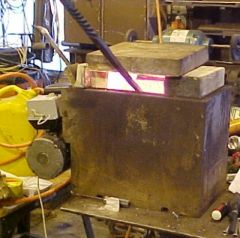 A "forge" made from the burner and firebox from a home heating furnace.
 -
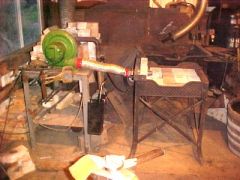 Coalforge's new side blast forge
 -
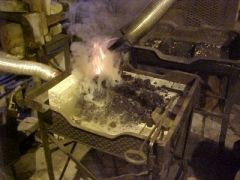 Coalforge's new side blast forge
 -
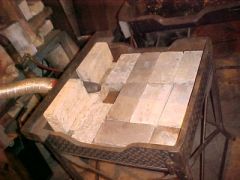 Coalforge's new side blast forge
 -
We are pulling for you both, Ralph. While I have not had it, I have lived with it enough to know how it goes. You both are in our prayers. Give Dawn a hug for us. Wayne
-
First off, thank you all for your prayers and support. It is really wonderful. Karen started chemo again last Wednsday and Friday she had the operation to put in a line to the cardiac vein for the rest of the treatments. The operation went well and if this last week is any indication of how the chemo is going to go, life will be good. She gets tired but no nausia or cramps or anything. Thanks again for the support. Wayne
-
Again I request the prayer support of this group. When we went to the Dr. last week, we found that Karen's abdominal tumor has grown, there are multiple sites in her liver, and the drug they were using is apparently no longer working. We go back 1-25-06 to find out "What now". Thanks, Wayne (Coalforge)
-
I use an old "Rigid" brand pipe threader. It turns about 20 rpm. Doesn't stop instantly but you can figure out the lag. I haven't tried square tube in it but will after reading the above post.