Mortimer
Members
-
Joined
-
Last visited
-
Thanks for the swift input guys, most appreciated. The forge is in a deep, wooded valley and so wind and solar would not be efficient to any degree. I like the TEG idea and will look into having a TEG lined flue maybe....Cheers, Mort.
-
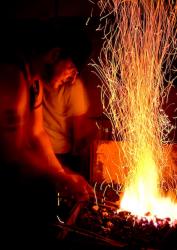
Hello all, I'm rebuilding a forge in southern England and wondered if I can harness any of the wasted forge heat to generate a small amount of electricity to run some low voltage lighting. Has anyone installed a small vertical steam turbine or hot air turbine in their forge flue or even a horizontal stirling engine over the flue entrance? I do not have any power in the forge and spend enough on coke only to see most of its energy go up in smoke...I know of one chap that has a gravitational operated heating system warming his second floor in winter but that about it. I know large steam boilers require certificates but I'm not planning on shoving a traction engine up the flue..... Any ideas would be most welcome, cheers.Mort.
-
Hi A, I would either find some double walled ss flue pipe from a stove manufacturer and stick it straight up through the roof or I would angle it upwards and out through the tin wall. Obviously keep any un-insulated pipe well away from any wood (at least a foot away). Hope this helps, DM