jim c
Members
-
Joined
-
Last visited
-
-
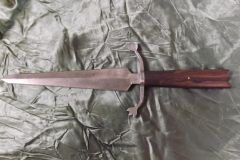 240 layer .... 15n20 and 1080 handle is iron wood ... 16 inches long
 -
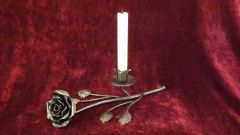
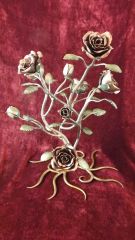 roses....18 inchs tall...used die patina cold
 -
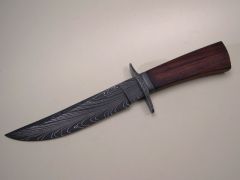 knifes like that push me to become better at my craft. frickin beautiful!
 -
-
thank's, thats a good one , i did not think of that one , i will try it . have a great day!
-
hello, what's going on is after forging out the blade i will normalize by bringing the blade to a good orange color then setting it aside on the coal bed then again to orange and putting it in lime ( witch i plan on getting rid of ) then i try to drill a hole for pins and it's just to hard. the wraper on the material says it's an oil harding steel and it's warpless,maybee a brand name? also it has the recipe of the steel on the wraper but i am not to familar with the peticular's, maybee if i had some kind of chart?
-
***** i just might try the wood stove thing ..i like that thanks!
-
HELLO, I INHERITED SOME STEEL A FEW YEARS AGO AND HAVE BEEN MAKING BLADES FROM IT BUT LATELY I CAN'T SEEM TO ANNEIL THE STUFF. ON THE WRAPER ITS CALLED WARPLESS AND IM ASSUMING ITS O1 IT IS A OIL HARDING STEEL. MY FREIND THAT PASSED WAS A MACHINEST. I USE LIME AS A ANNEILING MEDIUM THOUGH IM READY TO SWITCH TO VERMECULITE AS IT SEEMS THAT MOST PEOPLE USE IT.ANY IDEAS?
-
-
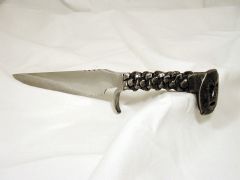 yes of course, these spikes are made of whc, a water hardening steel.
 -
-
-
-
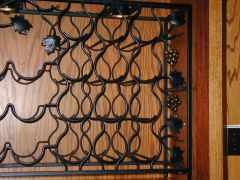
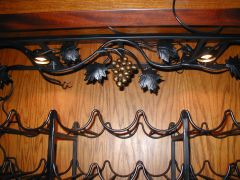
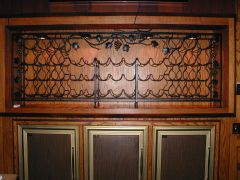 49 bottle wine rack with accent lighting at boomers saloon , laytonville ca