Grizz
Members
-
Joined
-
Last visited
-
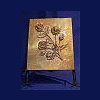
Here's one of my latest pieces. I hope it came, out OK Sorry about the spelling but I have a bandage on my typing finger!
-
Thought I'd intorduce myself finnaly, I've been working with metal for a while now, my steel fabrication buisness celebrates 20 yrs this year and I started smithing about 14 yrs ago. Now not only do we do Blacksmithing and general steel fabrication, we do copper repousse' and raising. Also one of the greatest acheivements my son has now offcially ( that means full time ) has joined our crew. He has taken over the estimating and oversee's the office operations ( I'm so proud):)
-
-
Pam, I mainly use Red German pitch but have used plastiline also. Walker, your right about Simon & Jesus but it's Silver not Aluminum. Thanks
-
Thought I'd show off a couple railings we did a while back. The first pic is a railing we did for our church. The second was a commission we received.
-
I have bought a few stakes and I use Balls such as large hitch balls and Ball bearings. Also wood works for quick special stakes.
-
Well I finnaly made it back. Here's a couple more pics. I just came back from Denmark and a class with Valentine, what a great class and a great setting.
-
Thought I'd say hi and show a couple of my latest projects