
Skip to content
View in the app

A better way to browse. Learn more.

I Forge Iron

A full-screen app on your home screen with push notifications, badges and more.

To install this app on iOS and iPadOS
  1. Tap the Share icon in Safari
  2. Scroll the menu and tap Add to Home Screen.
  3. Tap Add in the top-right corner.
To install this app on Android
  1. Tap the 3-dot menu (⋮) in the top-right corner of the browser.
  2. Tap Add to Home screen or Install app.
  3. Confirm by tapping Install.

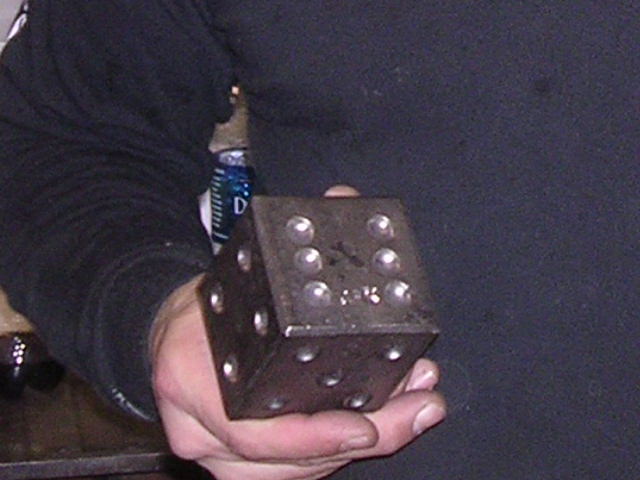
forged die

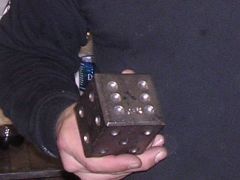
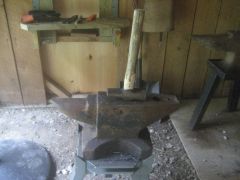
This is a forged die I made at a 3 day power hammer class at Bob Bergmans Shop - Steve Parker showed a lot things that can be done with flat dies on a power hammer with tooling. I forged the die from a 5-1/2 inch long x 2-3/8 inch round bar of 1045 steel. The die ended up being about a 2-7/8 cube. The hammer I used was a 3B Nazel. this was the first time working with a Nazel this size..... just plain fun. - JK - 10-27-07

  • From the category:

    Member Galleries

    · 11,262 images

    Account

    Navigation

    Search

    Search

    Configure browser push notifications

    Chrome (Android)
    1. Tap the lock icon next to the address bar.
    2. Tap Permissions → Notifications.
    3. Adjust your preference.
    Chrome (Desktop)
    1. Click the padlock icon in the address bar.
    2. Select Site settings.
    3. Find Notifications and adjust your preference.