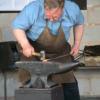
December 5, 201015 yr Last weekend we had an introduction to toolmaking using carbon steels, the students had either been on our taster day course, or had not attended courses before. The objective was to get hands on experience and the basic knowledge to successfully forge carbon steels from various scrap objects, namely coil springs, files and leaf springs. None had had any experience in forging or using recycled carbon steels. First we went through the HT processes and how they were done and the reasons for doing them, annealing, normalising, hardening and tempering. They then forged a 1/4"round punch from a coil spring and then made an old farriers file into a hot cut chisel, and finally making a pair of scrolling tongs, and took home a blank to make a bending fork Some adjustment to the basic shape were made to get them to function properly, but I am pleased to say they all eventually succesfully managed to forge the carbon steel without burning it. Some pics of what was made on the course (warts and all)
December 5, 201015 yr Good job John. Looks like they picked up the instructions well. Thanks for sharing. :)
Join the conversation
You can post now and register later. If you have an account, sign in now to post with your account.