Skip to content
View in the app

A better way to browse. Learn more.

I Forge Iron

A full-screen app on your home screen with push notifications, badges and more.

To install this app on iOS and iPadOS
  1. Tap the Share icon in Safari
  2. Scroll the menu and tap Add to Home Screen.
  3. Tap Add in the top-right corner.
To install this app on Android
  1. Tap the 3-dot menu (⋮) in the top-right corner of the browser.
  2. Tap Add to Home screen or Install app.
  3. Confirm by tapping Install.

Field Trip photos

Featured Replies

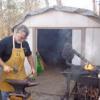
Last Saturday, 1/23/2010, six of our ODBSA members went on a field trip to visit member Marshall Ecker's Old Farm Forge.
He has been an avid antique tool collector for many years. In addition to blacksmithing tools, he has a large number of old goosewing broadaxes.
To see pictures of Marshall's shop and his antiques go to the ODBSA website and scroll to the bottom of the "Current News" page.
When you click on the first photo the slideshow will automatically start.
Be sure to come on back to IFI and leave a comment.
Join the conversation

You can post now and register later. If you have an account, sign in now to post with your account.

Guest
Reply to this topic...

Account

Navigation

Search

Search

Configure browser push notifications

Chrome (Android)
  1. Tap the lock icon next to the address bar.
  2. Tap Permissions → Notifications.
  3. Adjust your preference.
Chrome (Desktop)
  1. Click the padlock icon in the address bar.
  2. Select Site settings.
  3. Find Notifications and adjust your preference.