se3388
Members
-
Joined
-
Last visited
Everything posted by se3388
-
Thanks Wyatt that's the info I was looking for. Cool info too. Is there any way to determine the age from the serial number? Steve...........
-
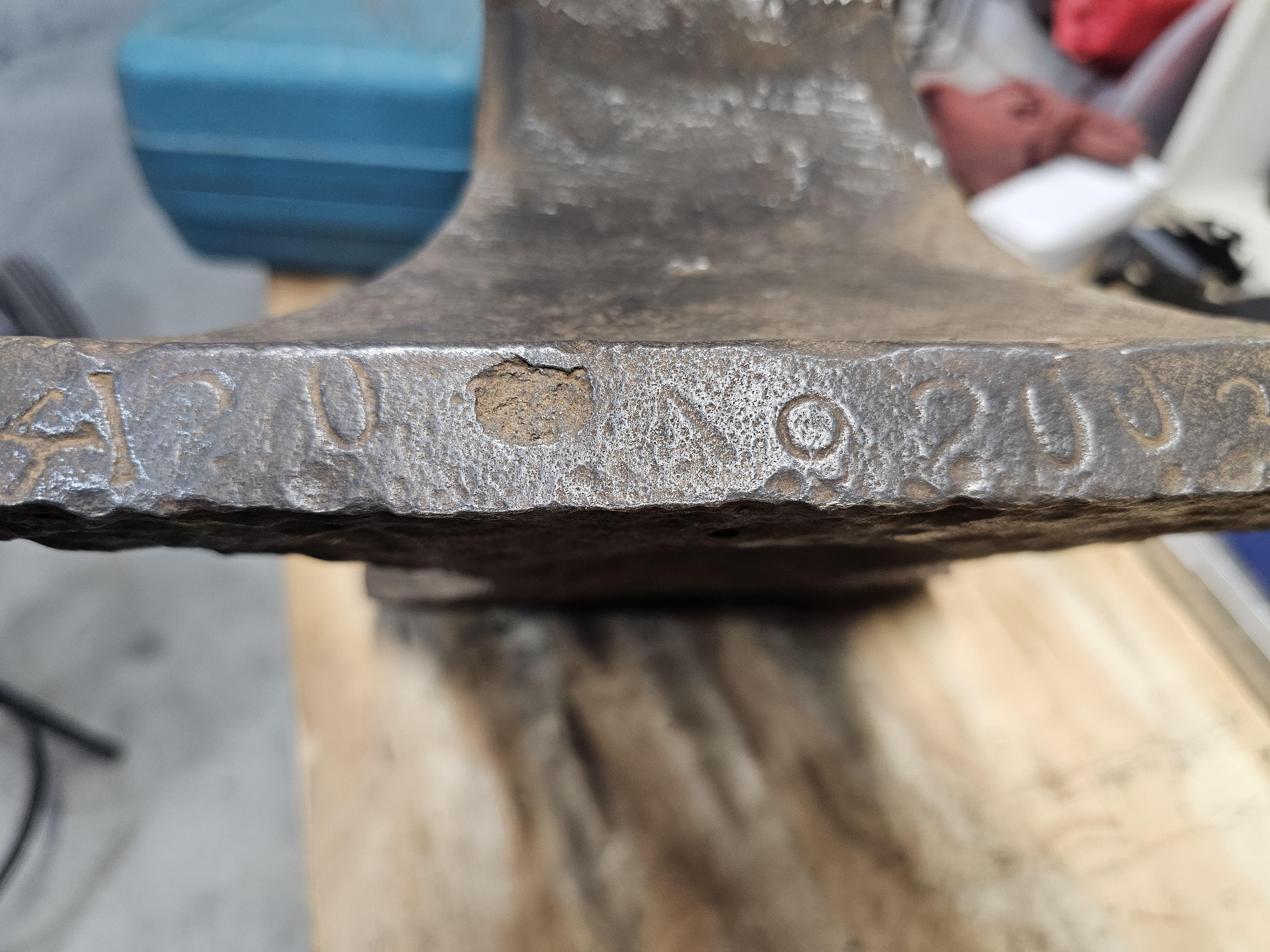
What is that first character on the foot? It looks kinda like a T with a roof on it. Looks like ? 0. 2003 I'll try some chalk on it and the side to see what will show up if anything. Does it look like it has been rewelded at the waist? Steve...........
-
Weight is actually 118 lbs. I don't have any explanation where the 186 lbs came from except for a brain f*^t. Steve...........
-
It weighs 186 lbs, I know it has a chunk missing from the top plate could someone have beat it that hard? The bottom is concave and I have cleaned that up also. And old guy that did a lot of metal work back in the 1960's told me that it could have had the top half (waist up) replaced at one time.


-
I have had this anvil since my Dad passed away and have no info about is except I THINK it MIGHT be a Hay Budden or Peter Wright but I could be wrong, I was once before. My Dad got it from my Great Uncle and he bought it from his Grand Father at some time. I got the anvil, forge blower, post vice and the two piece thing the coal box sits on and the blower pipe fits onto. Thanks for any info. PICTURES ARE COMING, THEY ARE ON ANOTHER COMPUTER