
JacksonBower123
Members
-
Joined
-
Last visited
Everything posted by JacksonBower123
-
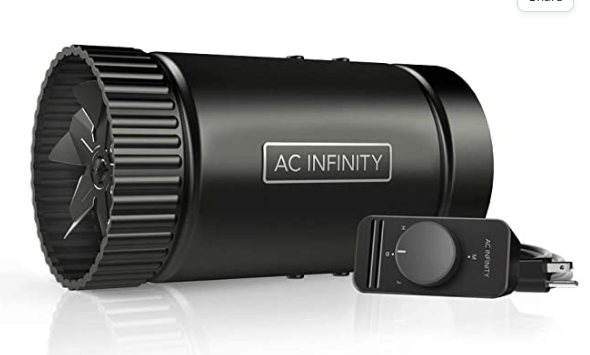
Hi guys I’m still looking for a fan for my propane foundry on my last post it was suggested I look for an hvac fan. So I did and I want to ask if this fan would be good for a propane foundry running a 20lb tank with a 1/2 inch exhaust.
-
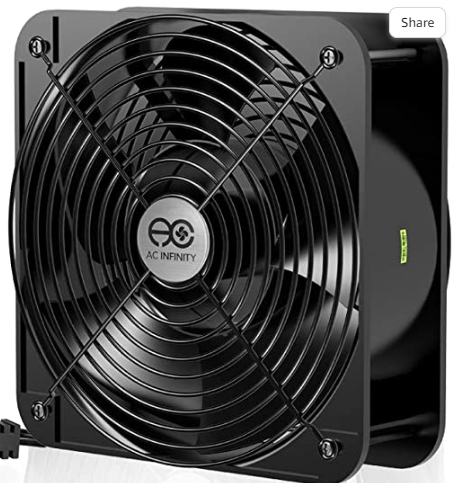
I have a box fan that is about 1 ft by 1ft by 6 inch it can produce 430 cfm but I can’t focus the airflow into a forge either having backflow or air blowing out the side of any entrance tunnel I try to dig into the foundry which is built into the ground. I’m wondering how I can attach and funnel the airflow into a pipe for more air pressure into my propane foundry. I don’t know if it is doable or if I should buy a fan that can achieve higher pressures. AC Infinity AXIAL 2060, Muffin... This is the fan for reference
-
Thanks for the help but unfortunately even when I coke the coal to the best of my ability it still smoked way too much for me to use it in my dense suburban neighborhood
-
I got some free coal from a local seller who had previously used it in a coal oven the coal had not been used in years. When I got home after picking up the coal I lit up my forge but it was creating too much smoke. Worrying that I may upset my neighbors I put out the fire. I'm wondering if there is a way to reduce the smoke output of the coal I have researched coal washing but can't find any resources of people having my issue or how I can wash coal at home. If anyone can help that would be greatly appreciated.