Skip to content
View in the app

A better way to browse. Learn more.

I Forge Iron

A full-screen app on your home screen with push notifications, badges and more.

To install this app on iOS and iPadOS
  1. Tap the Share icon in Safari
  2. Scroll the menu and tap Add to Home Screen.
  3. Tap Add in the top-right corner.
To install this app on Android
  1. Tap the 3-dot menu (⋮) in the top-right corner of the browser.
  2. Tap Add to Home screen or Install app.
  3. Confirm by tapping Install.

MNG

Members
  • Joined

  • Last visited

Everything posted by MNG

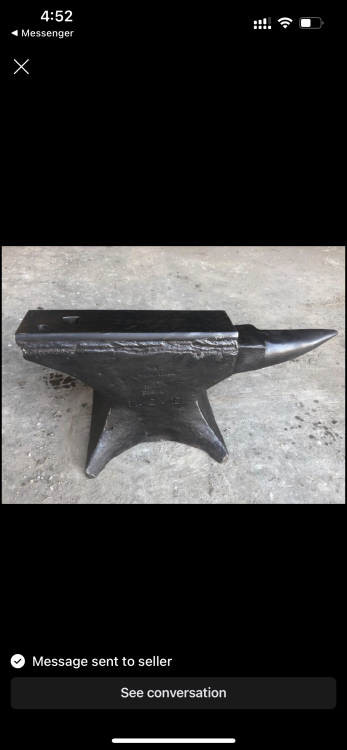
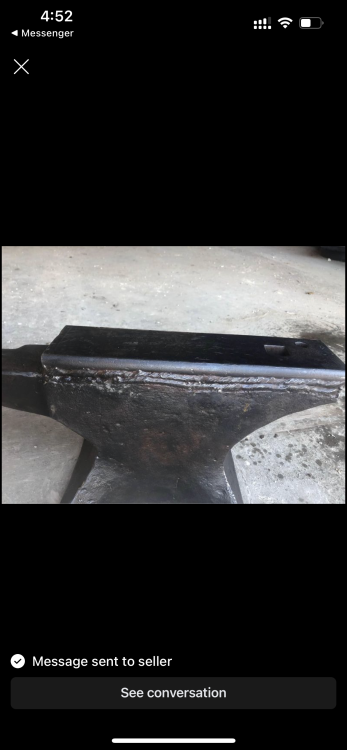
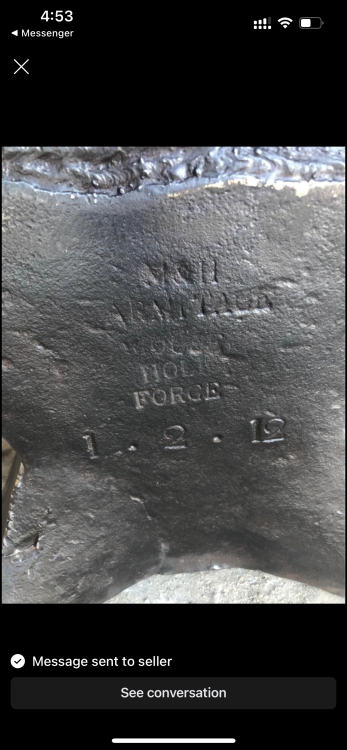
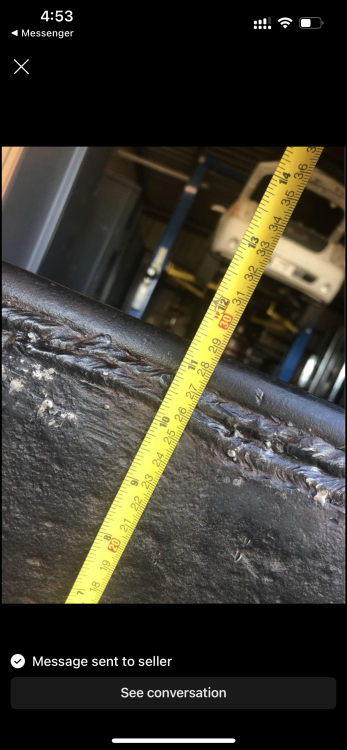
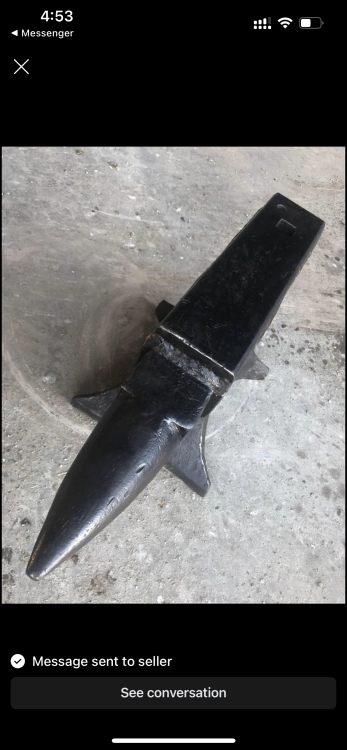
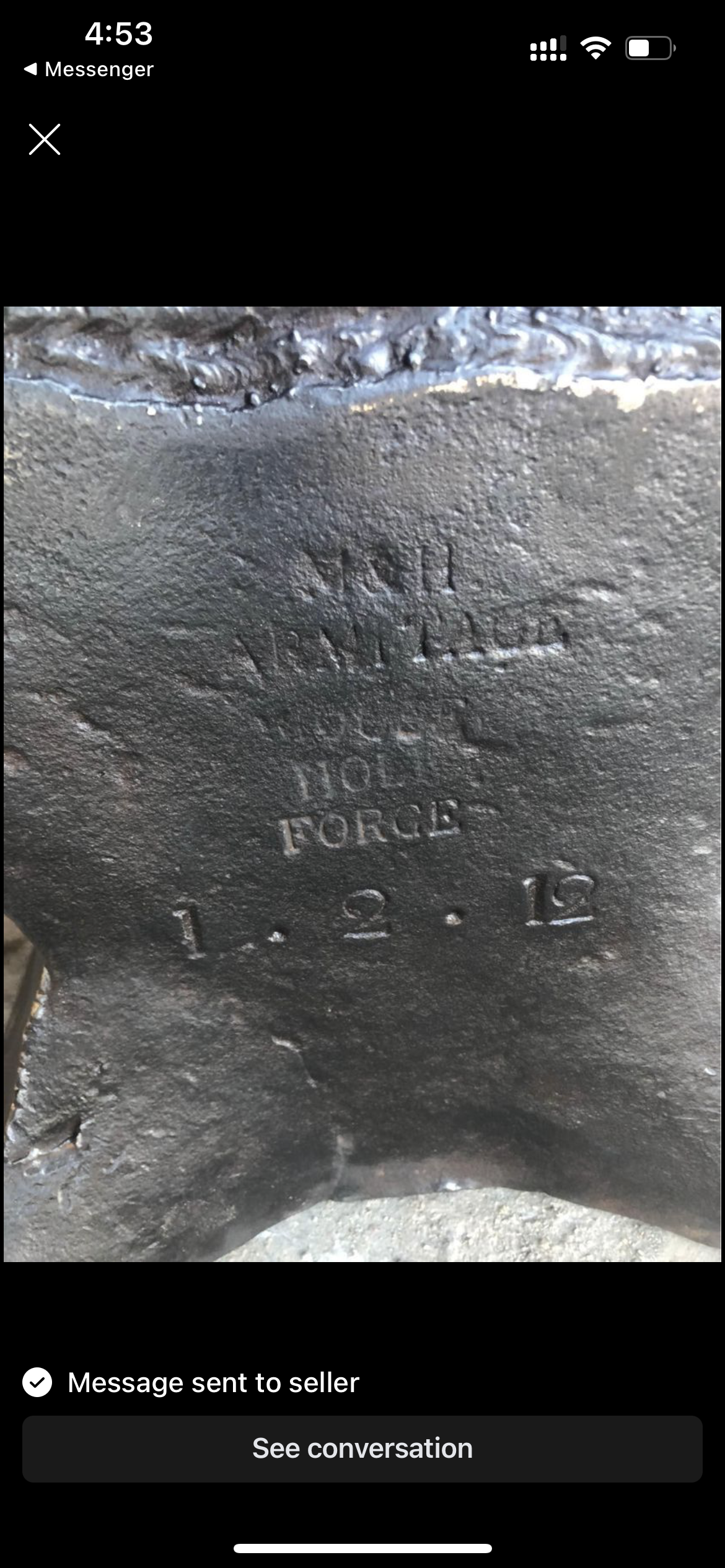
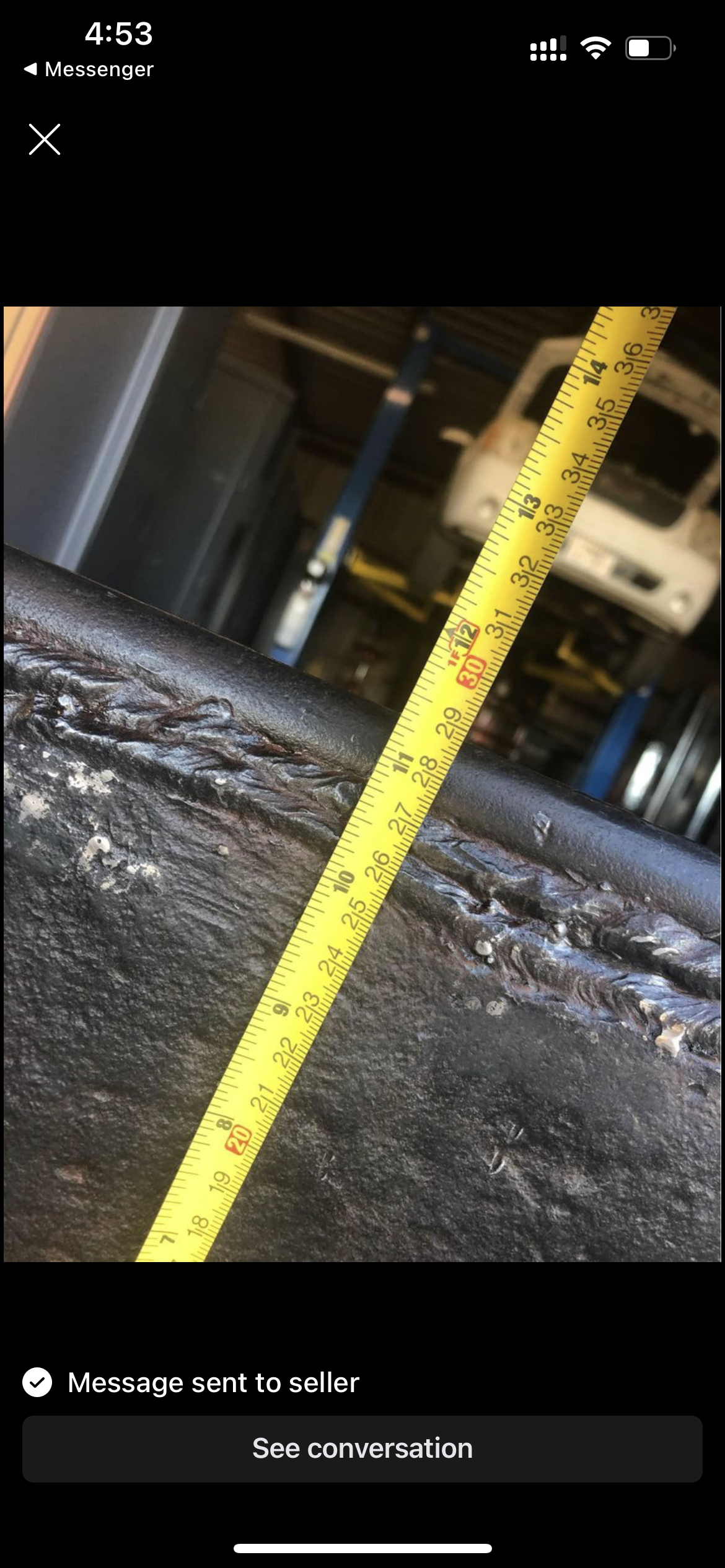
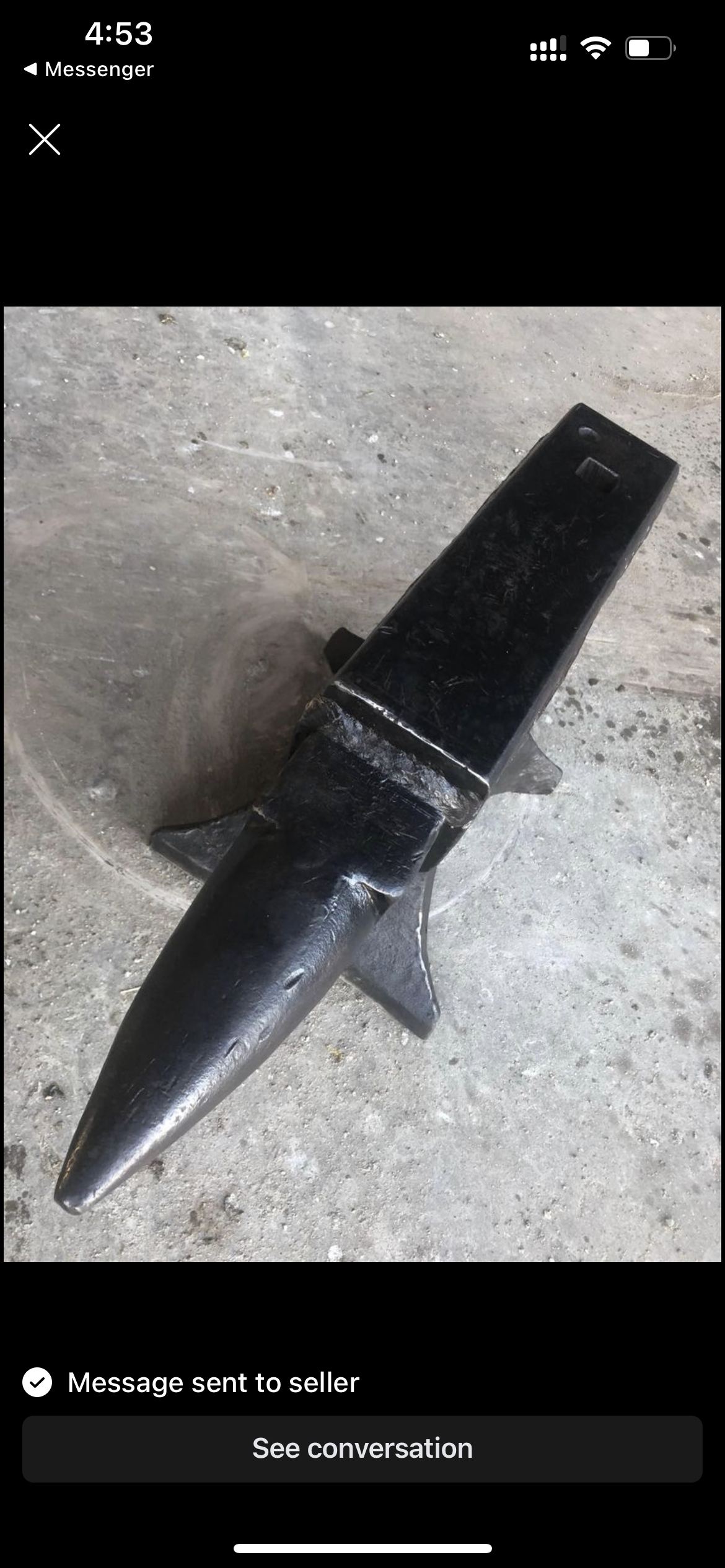
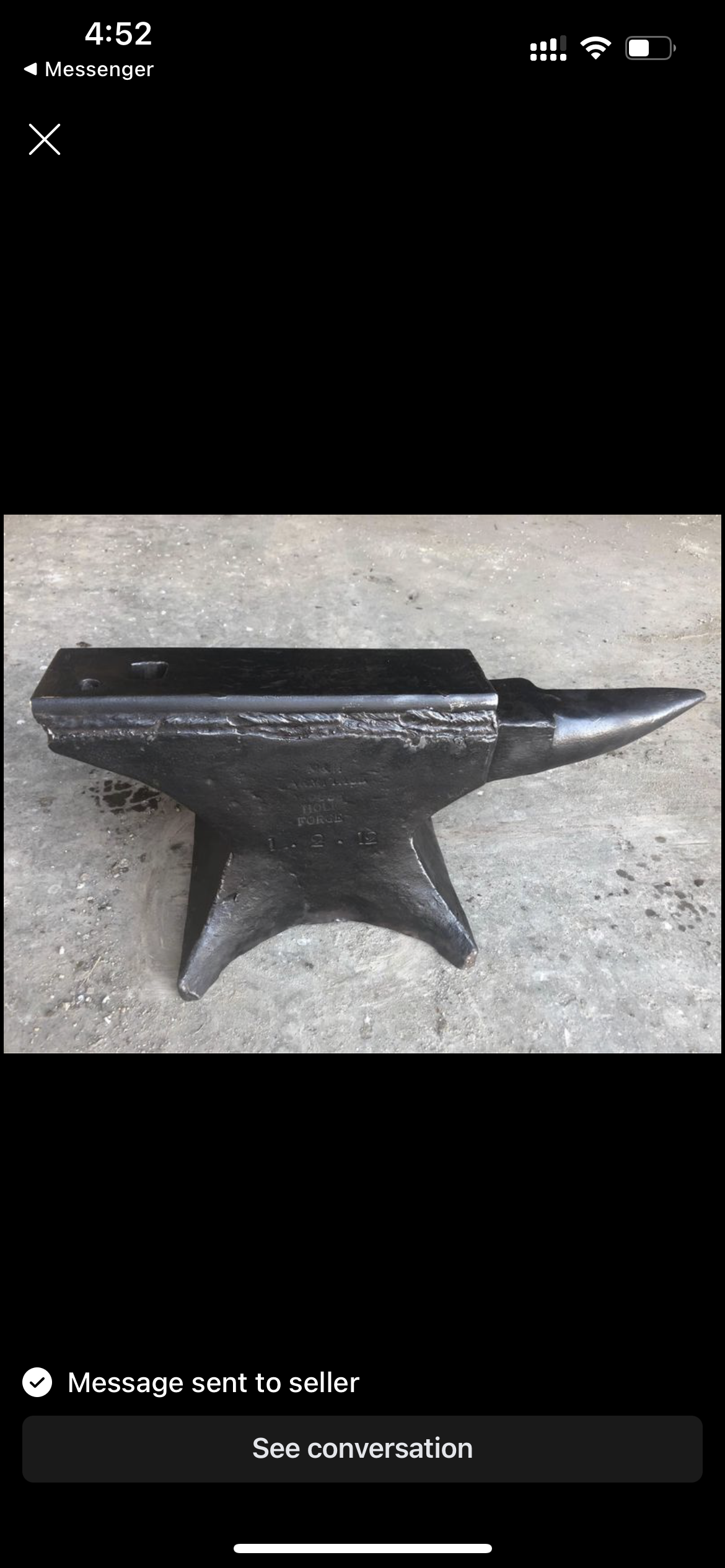
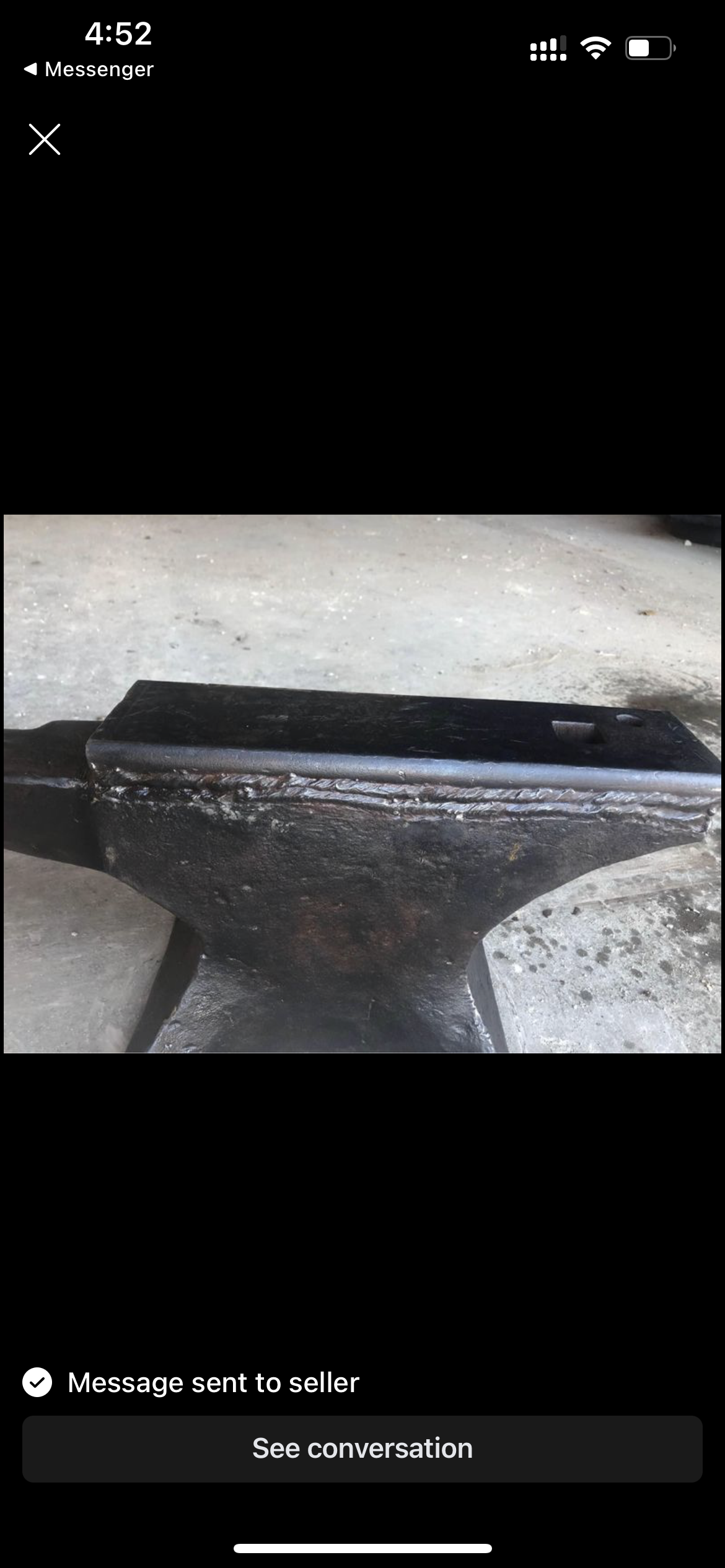
  1. Hey guys, Started this hobby about a year ago and have been using a railroad anvil until now. A Mouse Hole anvil showed up in my area that has been repaired. Wanted to know what you guys think. Its 180lb and he is asking $500 Should i stay away or is a good deal?? This is the link to the craigslist ad link removed Any help or advice is much appreciated
Account

Navigation

Search

Search

Configure browser push notifications

Chrome (Android)
  1. Tap the lock icon next to the address bar.
  2. Tap Permissions → Notifications.
  3. Adjust your preference.
Chrome (Desktop)
  1. Click the padlock icon in the address bar.
  2. Select Site settings.
  3. Find Notifications and adjust your preference.