Skip to content
View in the app

A better way to browse. Learn more.

I Forge Iron

A full-screen app on your home screen with push notifications, badges and more.

To install this app on iOS and iPadOS
  1. Tap the Share icon in Safari
  2. Scroll the menu and tap Add to Home Screen.
  3. Tap Add in the top-right corner.
To install this app on Android
  1. Tap the 3-dot menu (⋮) in the top-right corner of the browser.
  2. Tap Add to Home screen or Install app.
  3. Confirm by tapping Install.

DreamsCrumble

Members
  • Joined

  • Last visited

Everything posted by DreamsCrumble

  1. Thank you so much for taking the time to respond and providing such interesting info. Much appreciated!
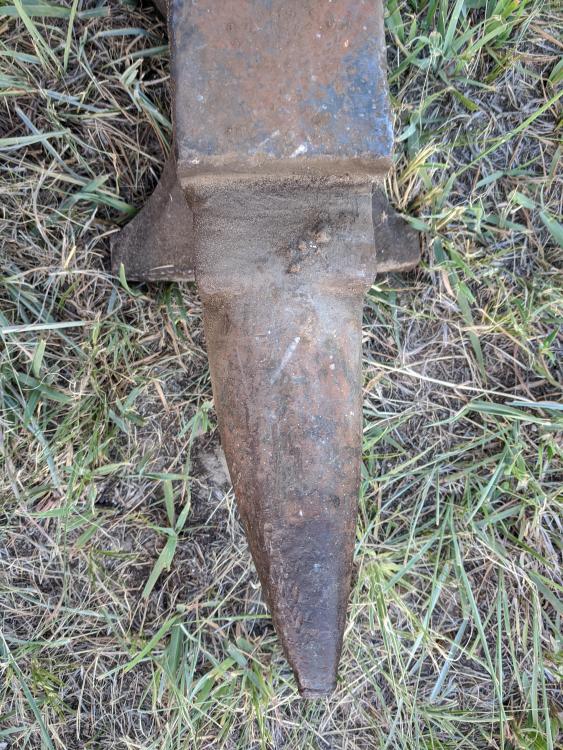
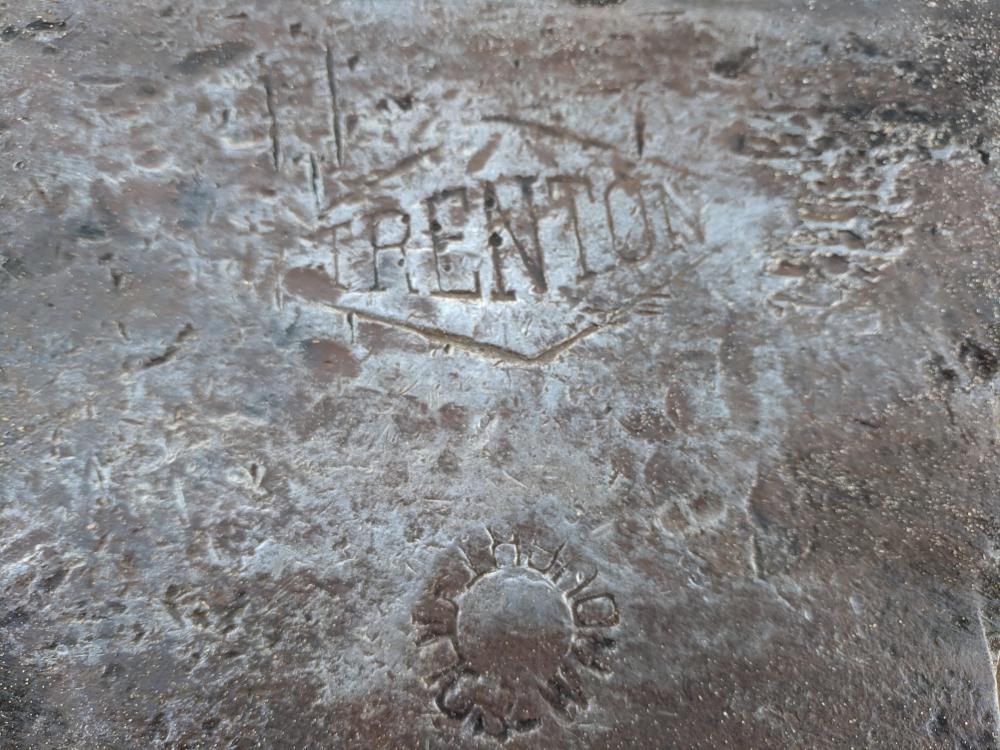
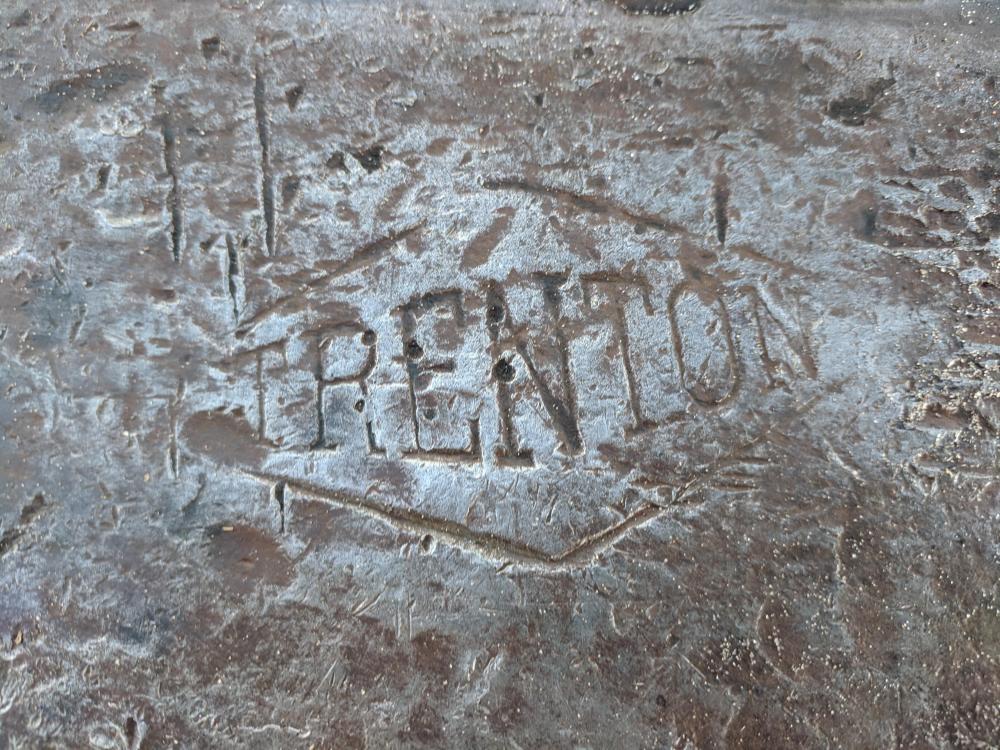
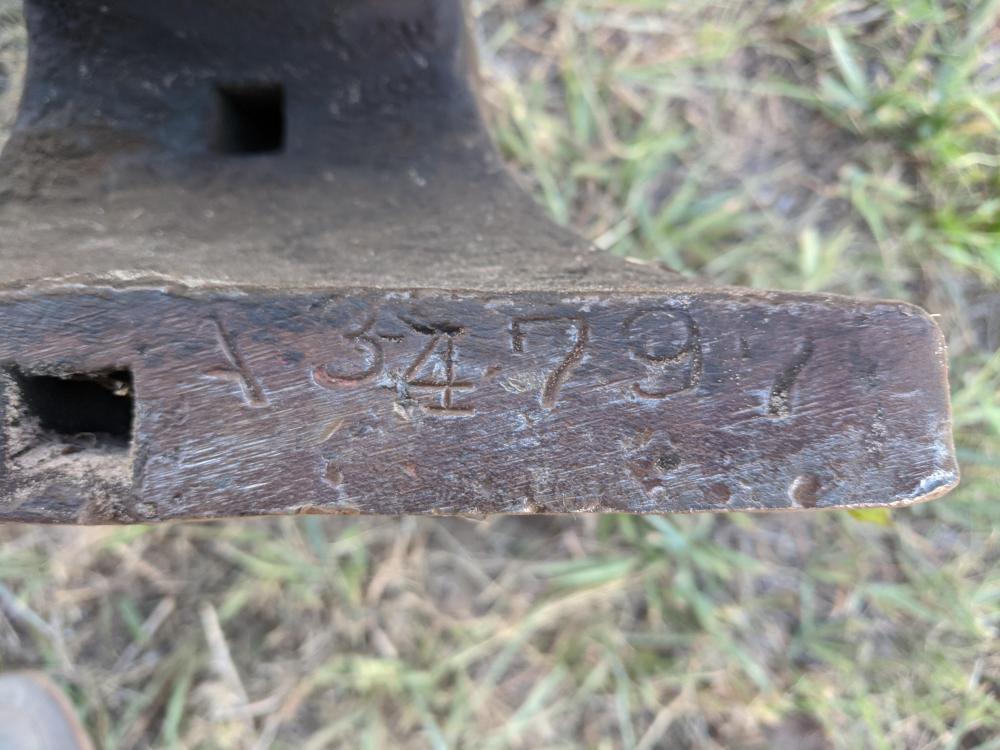
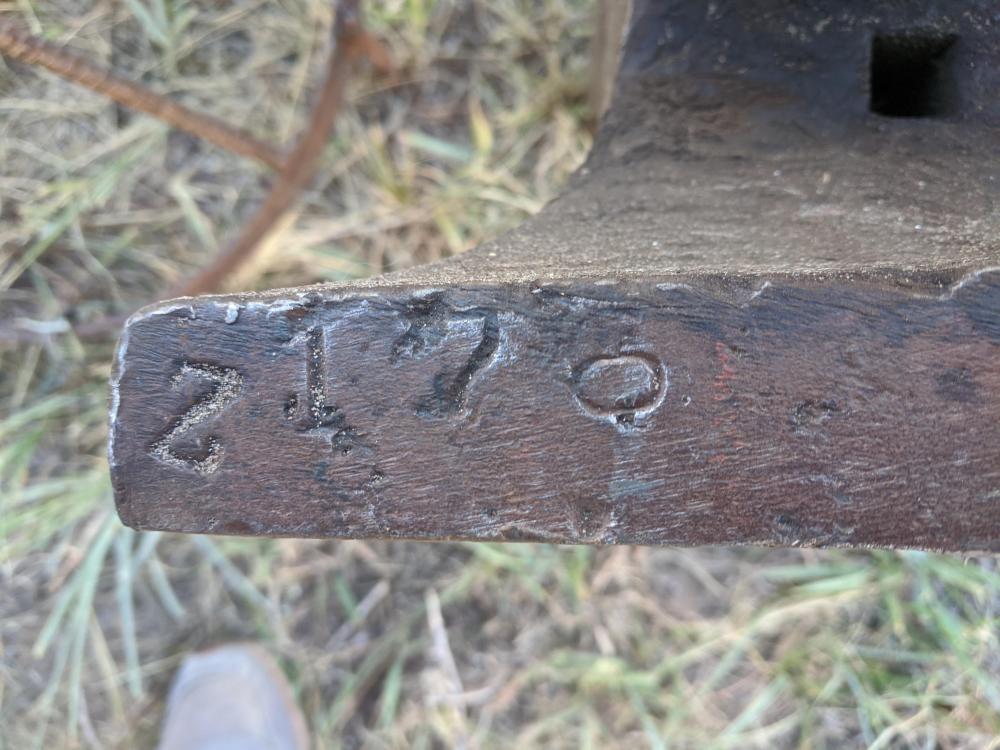
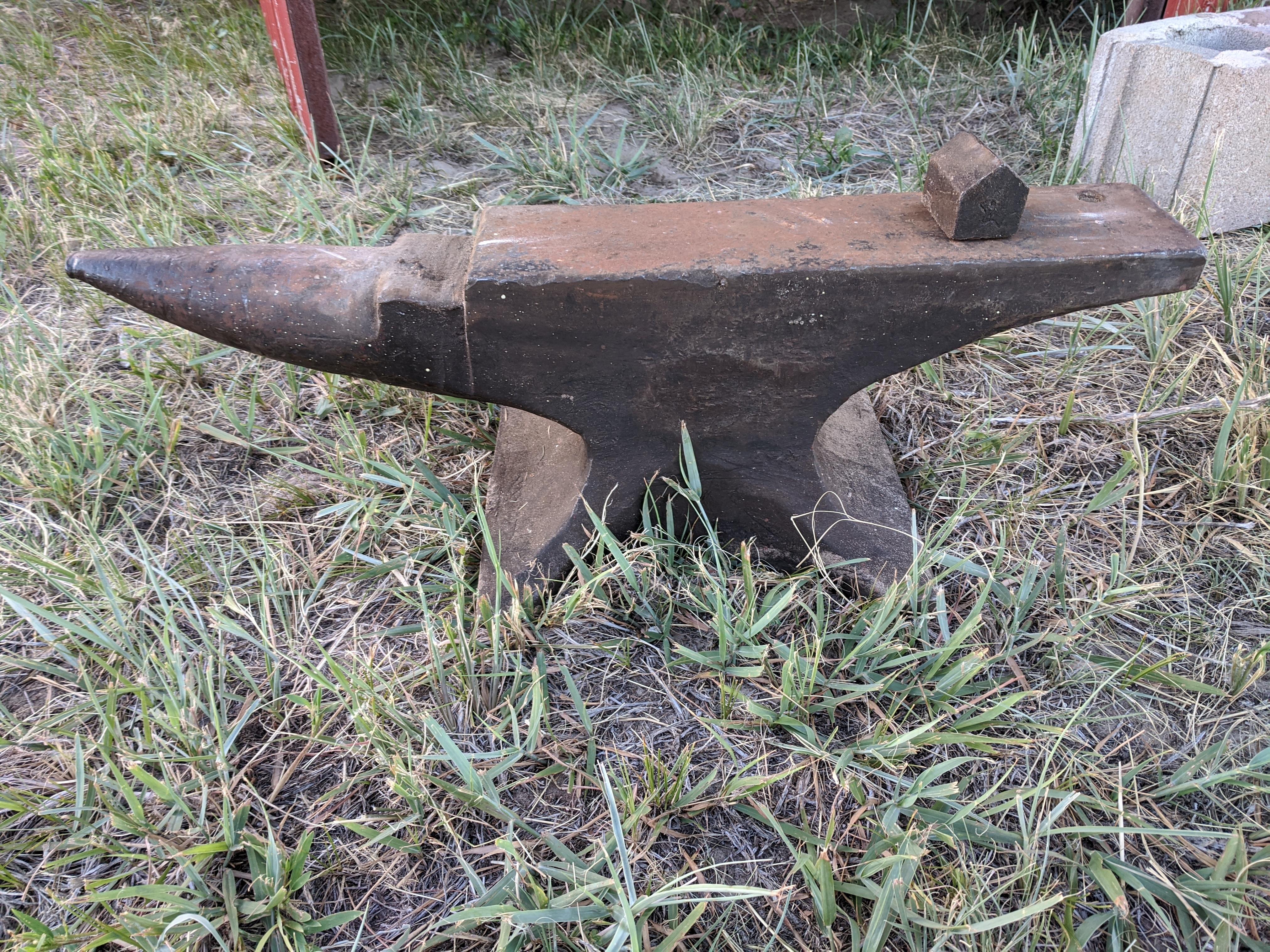
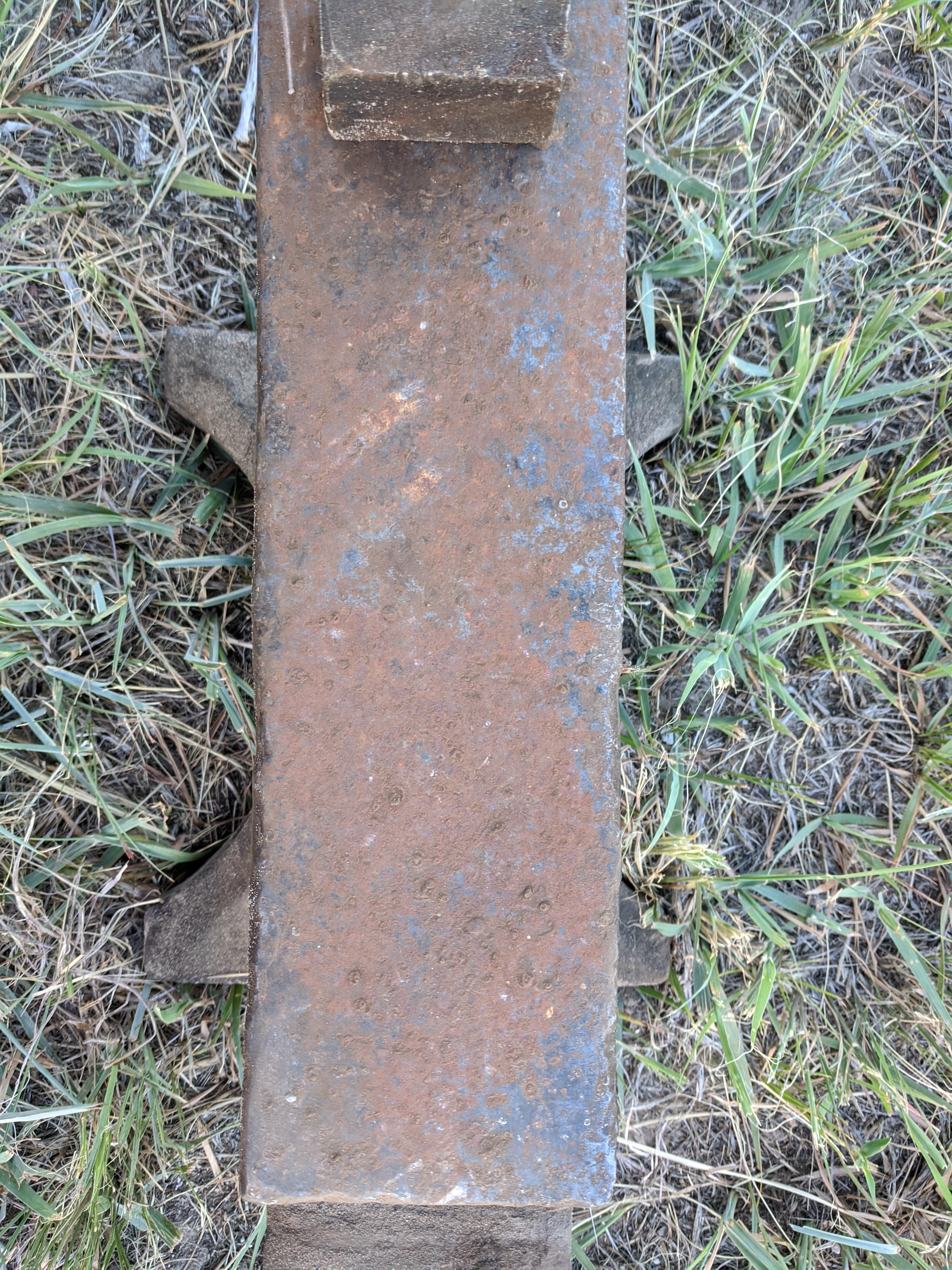
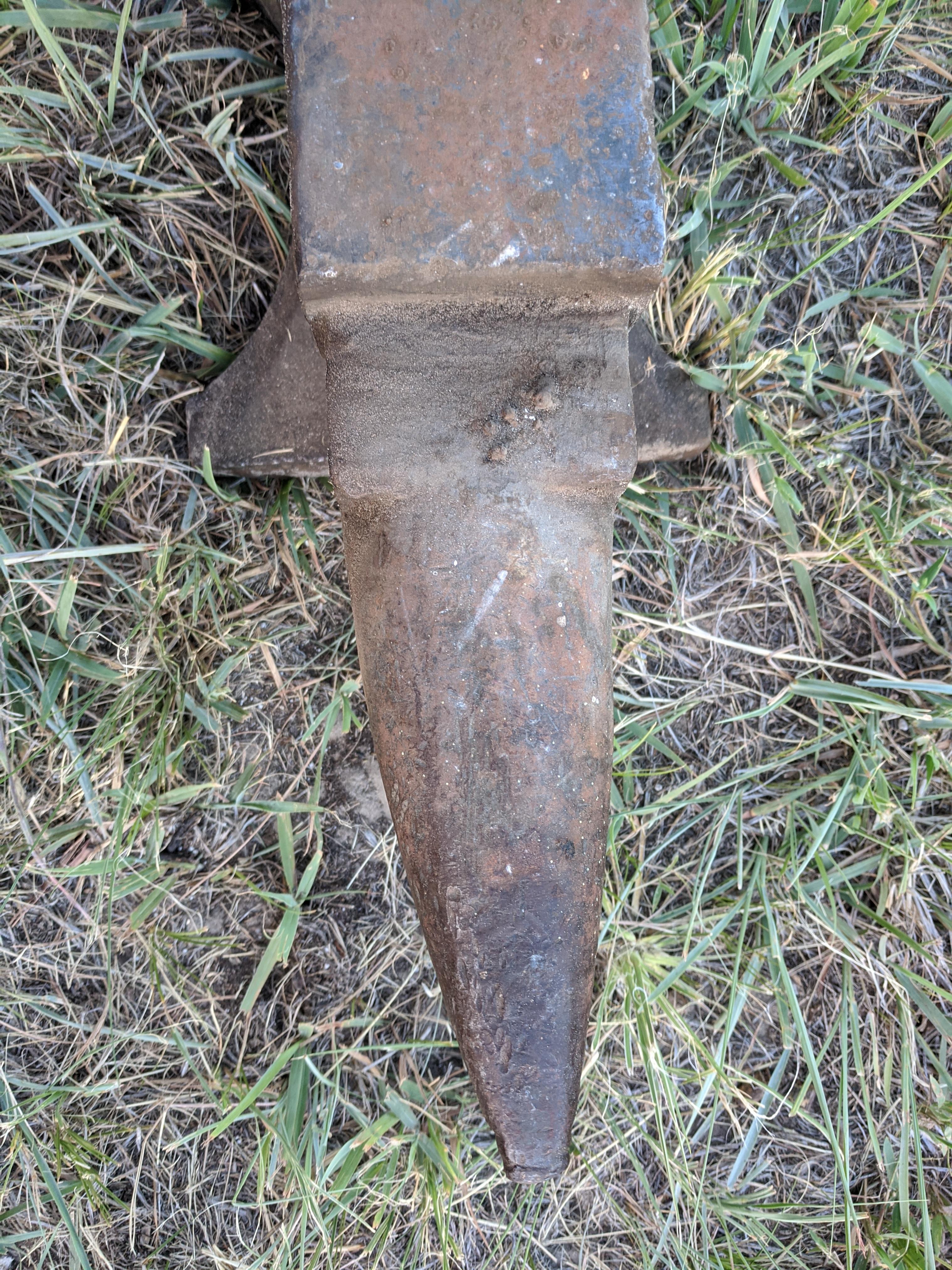
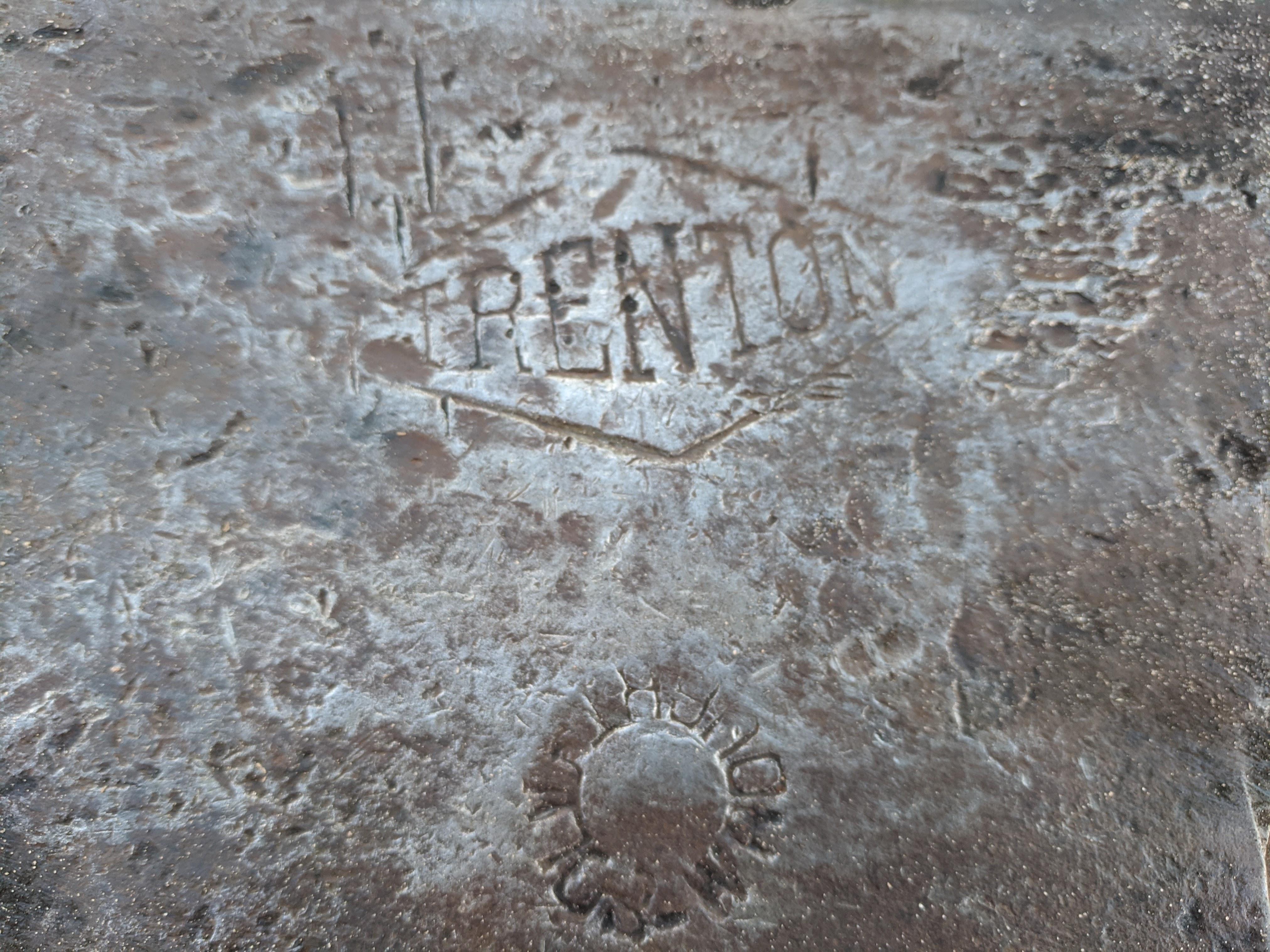
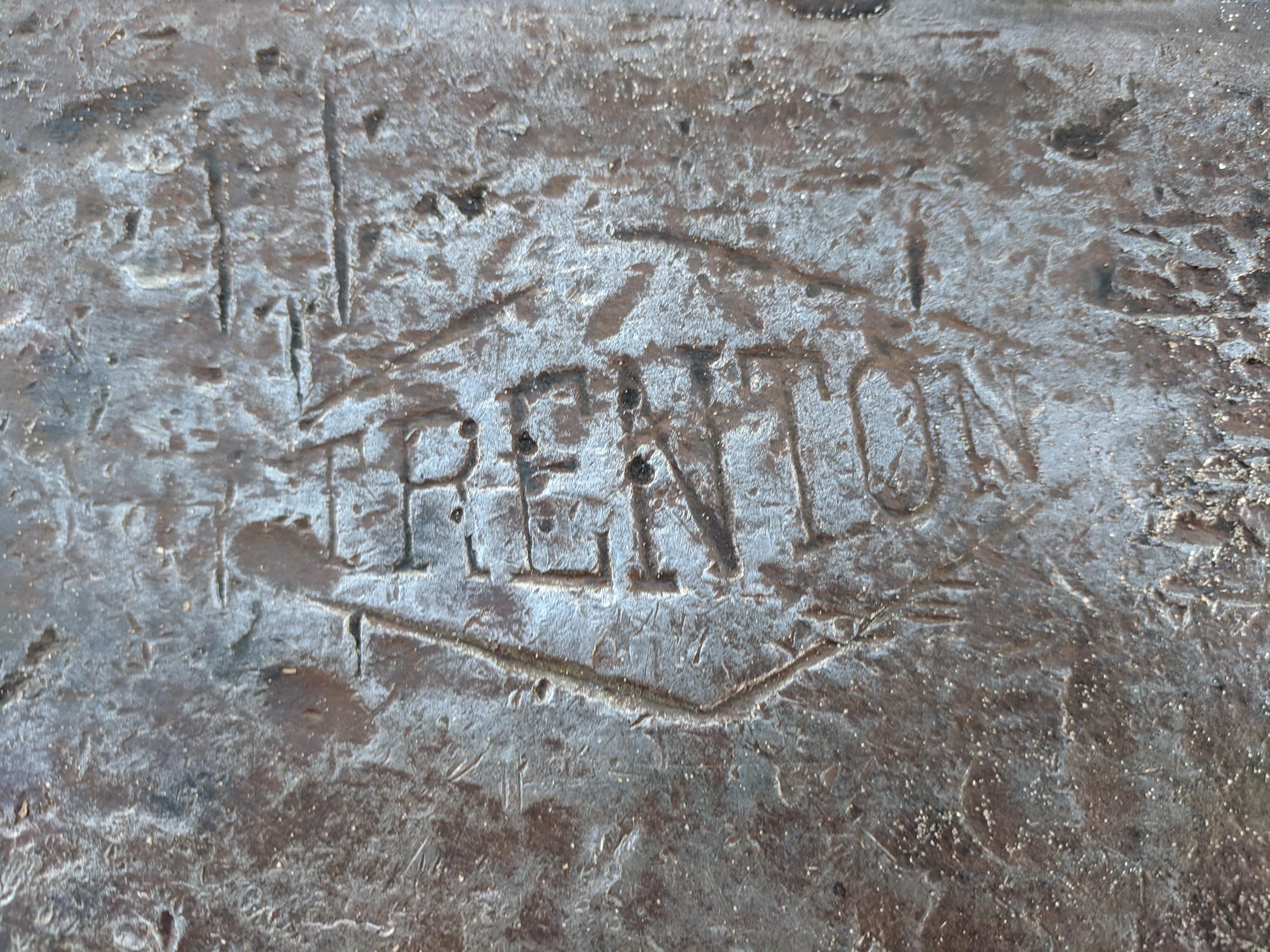
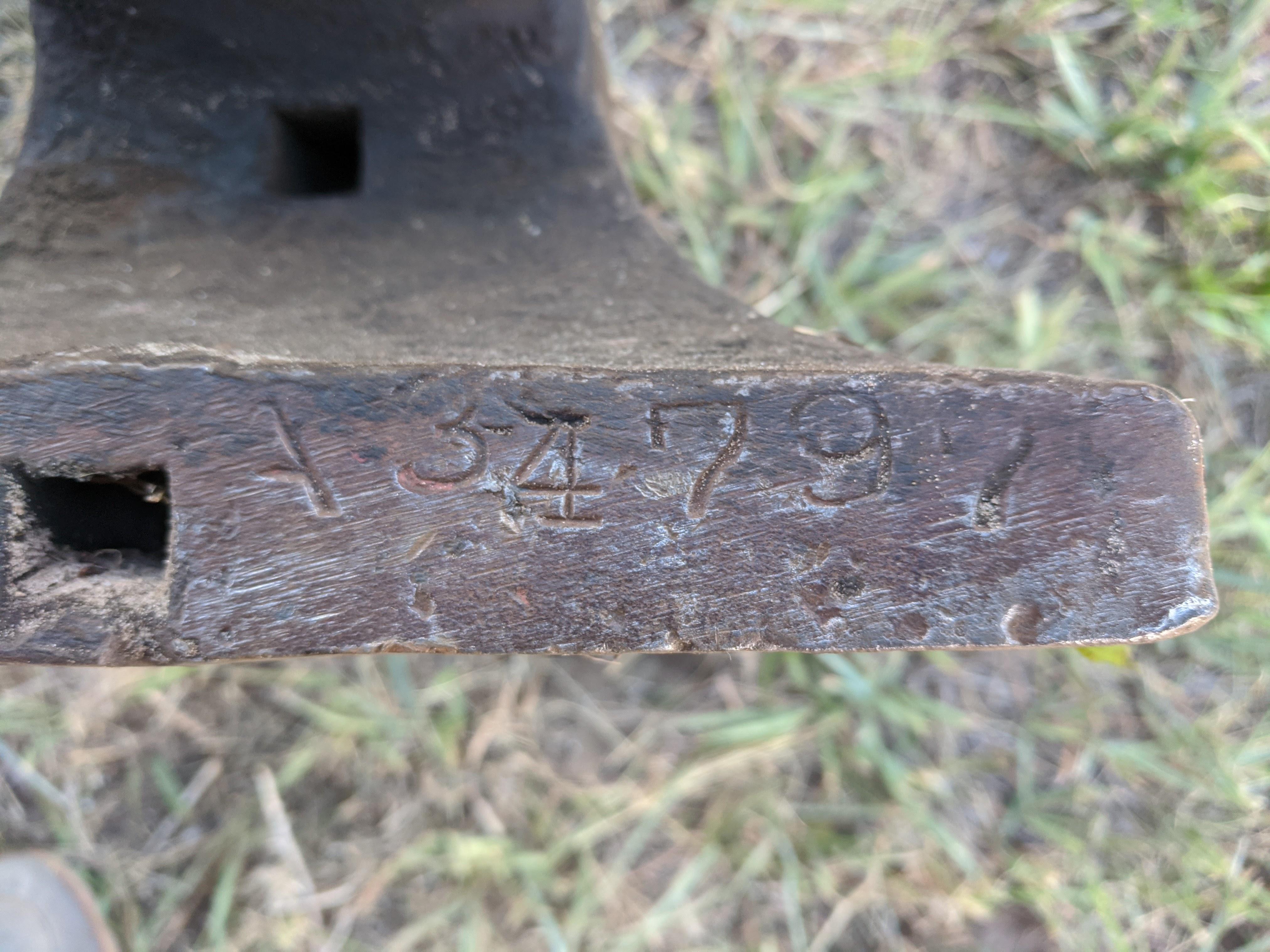
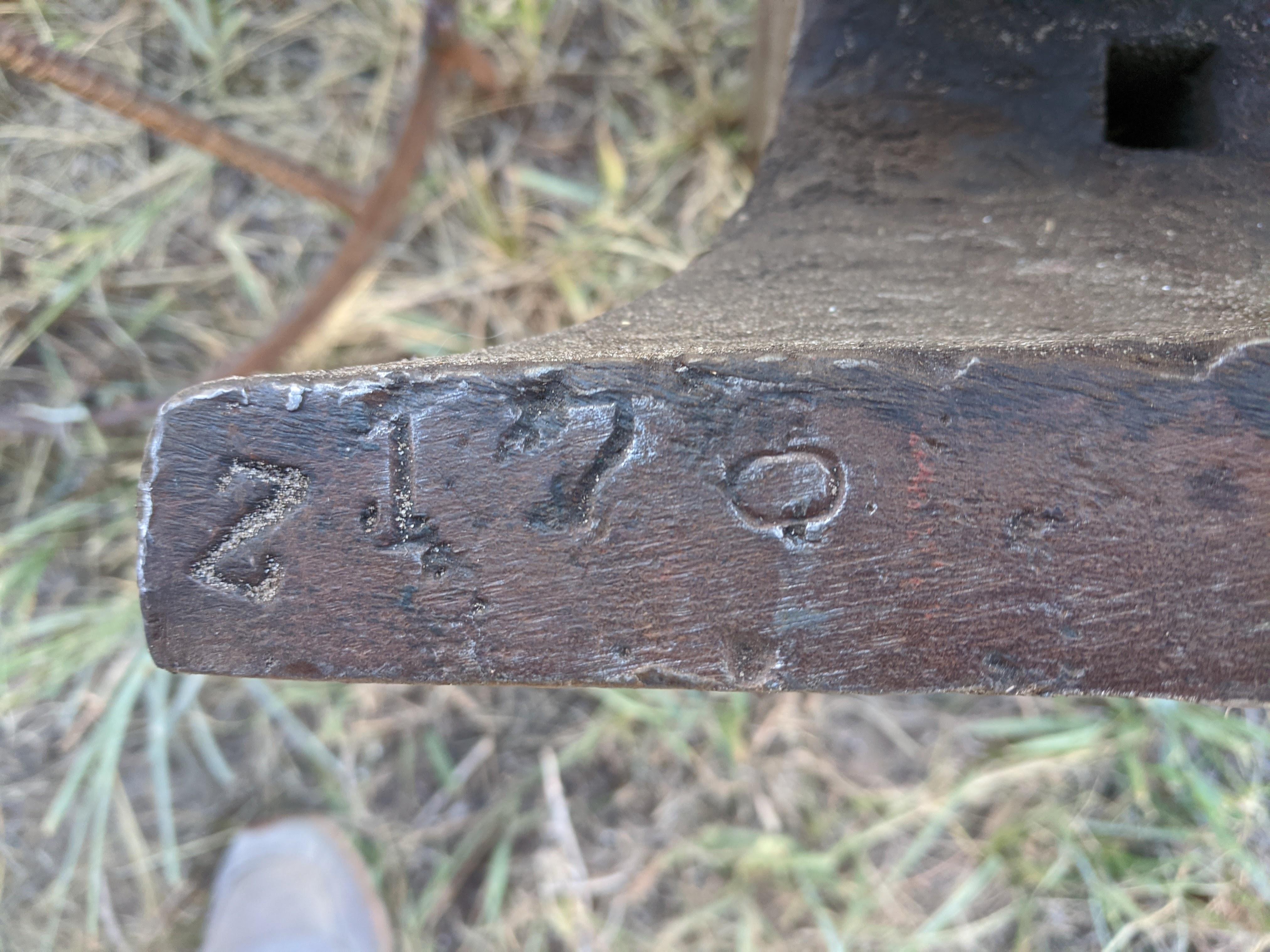
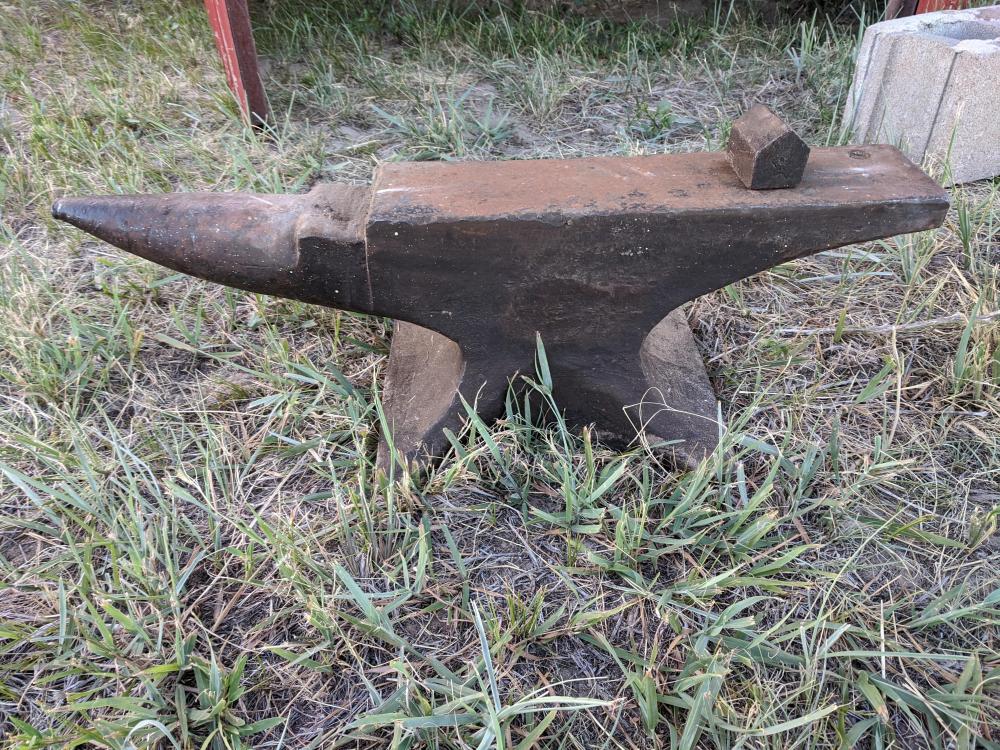
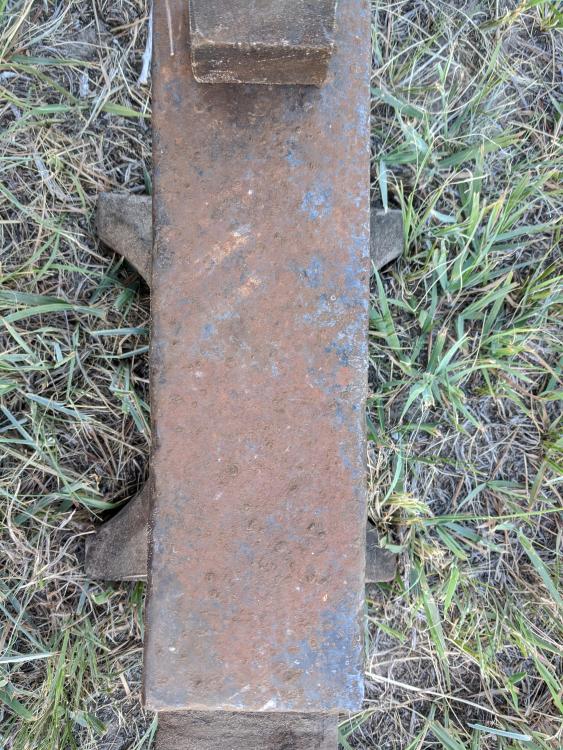
  2. This anvil was in an old auto mechanic shop and gas station that my grandpa owned for a while in Western Nebraska. Correct me if I'm wrong, but it looks like a 176# Trenton anvil, created by "Z", with the serial number A34797. From the searching I've done, I'm guessing it was made around 1903. If anyone with an AIA copy would look it up for me and confirm the exact year, I'd be very grateful. More backstory, if you're interested. My grandpa worked at the station again in his 80s and 90s. He had sold it decades earlier. It was still a full service station 25 years ago, so he would pump peoples' gas and wash their windows. He worked there until his mid 90s and went on to live to nearly 103. Really glad I found this old anvil and can find more out about it!
Account

Navigation

Search

Search

Configure browser push notifications

Chrome (Android)
  1. Tap the lock icon next to the address bar.
  2. Tap Permissions → Notifications.
  3. Adjust your preference.
Chrome (Desktop)
  1. Click the padlock icon in the address bar.
  2. Select Site settings.
  3. Find Notifications and adjust your preference.