JSD
Members
-
Joined
-
Last visited
Everything posted by JSD
-
Thank you all for the advice. I’ll get to firing this thing up this weekend!
-
Scottie86 would you share what you found? The only post I find on this subject has unavailable files so no visual accompaniment. I have a 400 that seems to have no mount hardware whatsoever.
-
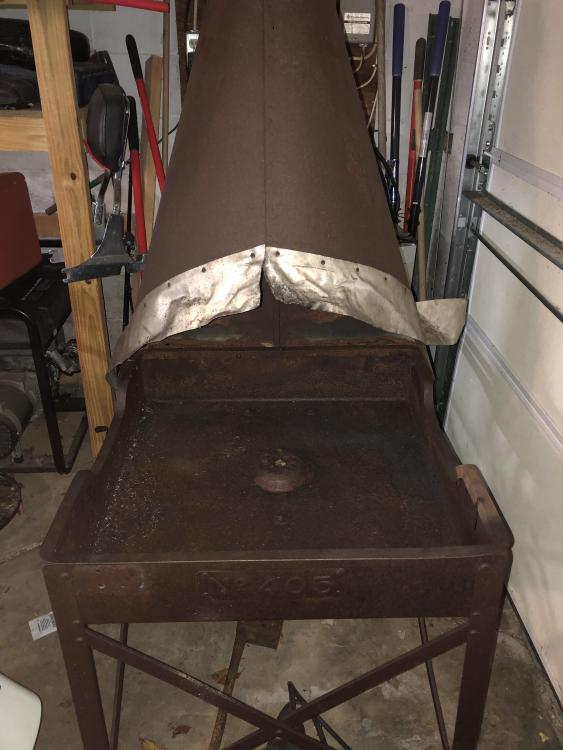
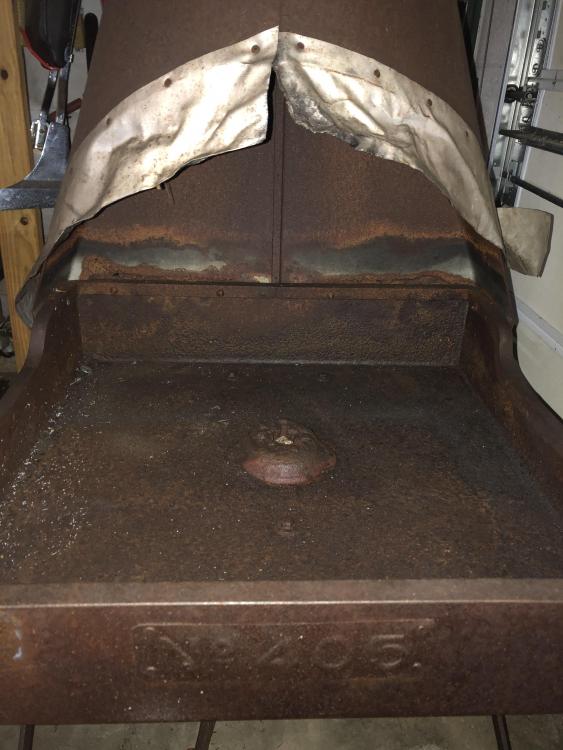
So looking for some advice after poking through some of these threads. I got a stellar deal on this forge that is all in all in pretty good shape- though as you can see it’s really a rivet forge and not set up for traditional smithing. In your opinion, should I cut out this tuyere and drop in a firepot or should I pack refractory cement in here and form a fire bowl up? Obviously new to smithing so I have 0 opinion on the matter- hoping to defer to everyone’s experience.
-
Thanks!
-
New guy here - Does anyone know where to pickup bagged bituminous coal in the Albany / Schenectady / Amsterdam NY area?