Skip to content
View in the app

A better way to browse. Learn more.

I Forge Iron

A full-screen app on your home screen with push notifications, badges and more.

To install this app on iOS and iPadOS
  1. Tap the Share icon in Safari
  2. Scroll the menu and tap Add to Home Screen.
  3. Tap Add in the top-right corner.
To install this app on Android
  1. Tap the 3-dot menu (⋮) in the top-right corner of the browser.
  2. Tap Add to Home screen or Install app.
  3. Confirm by tapping Install.

Elgin

Members
  • Joined

  • Last visited

Everything posted by Elgin

  1. Thanks! Yeah, I was extremely happy to find that in the box when it arrived.
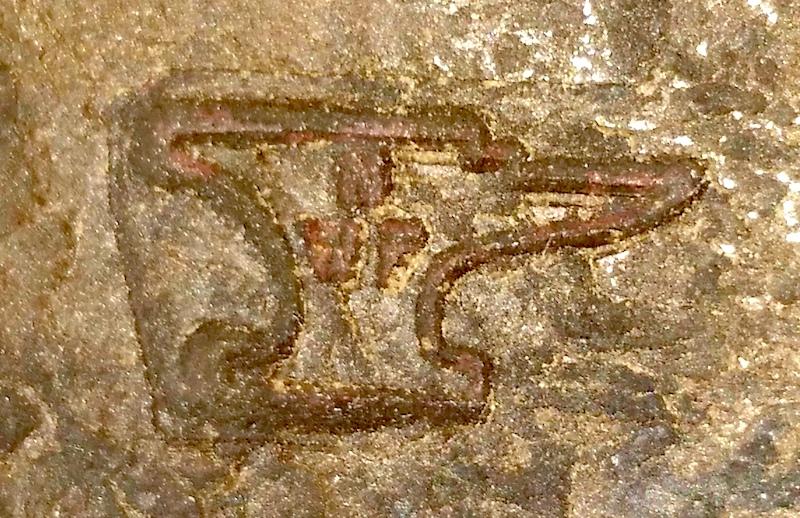
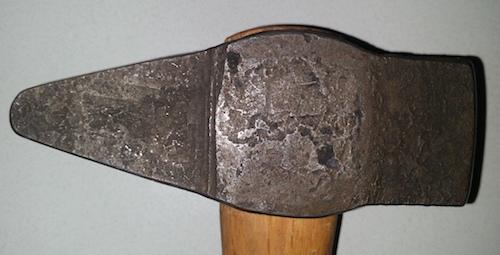
  2. I recently picked up a small lot of hammers, hatchets, and a couple other tools on ebay, and am trying to ID the maker of one of the hammers. I've searched to see if I could find the touchmark anywhere, but so far I've had no luck. Hammer weighs just shy of 3lbs, including the handle. Thanks!
  3. After reading posts for the last couple years, I figured I'd finally join and say hi! Been interested in blacksmithing for many years, just never found the opportunity to give it a shot. Well, that changed a few weeks ago, and I've been taking a class locally. I've done two so far, but I'm already hooked! Looking forward to continuing to soak in all the knowledge I can here.

Account

Navigation

Search

Search

Configure browser push notifications

Chrome (Android)
  1. Tap the lock icon next to the address bar.
  2. Tap Permissions → Notifications.
  3. Adjust your preference.
Chrome (Desktop)
  1. Click the padlock icon in the address bar.
  2. Select Site settings.
  3. Find Notifications and adjust your preference.