Skip to content
View in the app

A better way to browse. Learn more.

I Forge Iron

A full-screen app on your home screen with push notifications, badges and more.

To install this app on iOS and iPadOS
  1. Tap the Share icon in Safari
  2. Scroll the menu and tap Add to Home Screen.
  3. Tap Add in the top-right corner.
To install this app on Android
  1. Tap the 3-dot menu (⋮) in the top-right corner of the browser.
  2. Tap Add to Home screen or Install app.
  3. Confirm by tapping Install.

Deavil

Members
  • Joined

  • Last visited

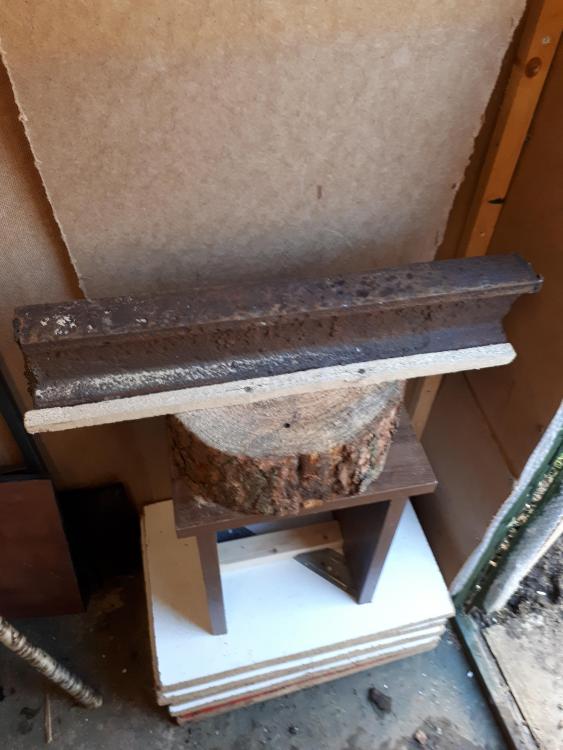
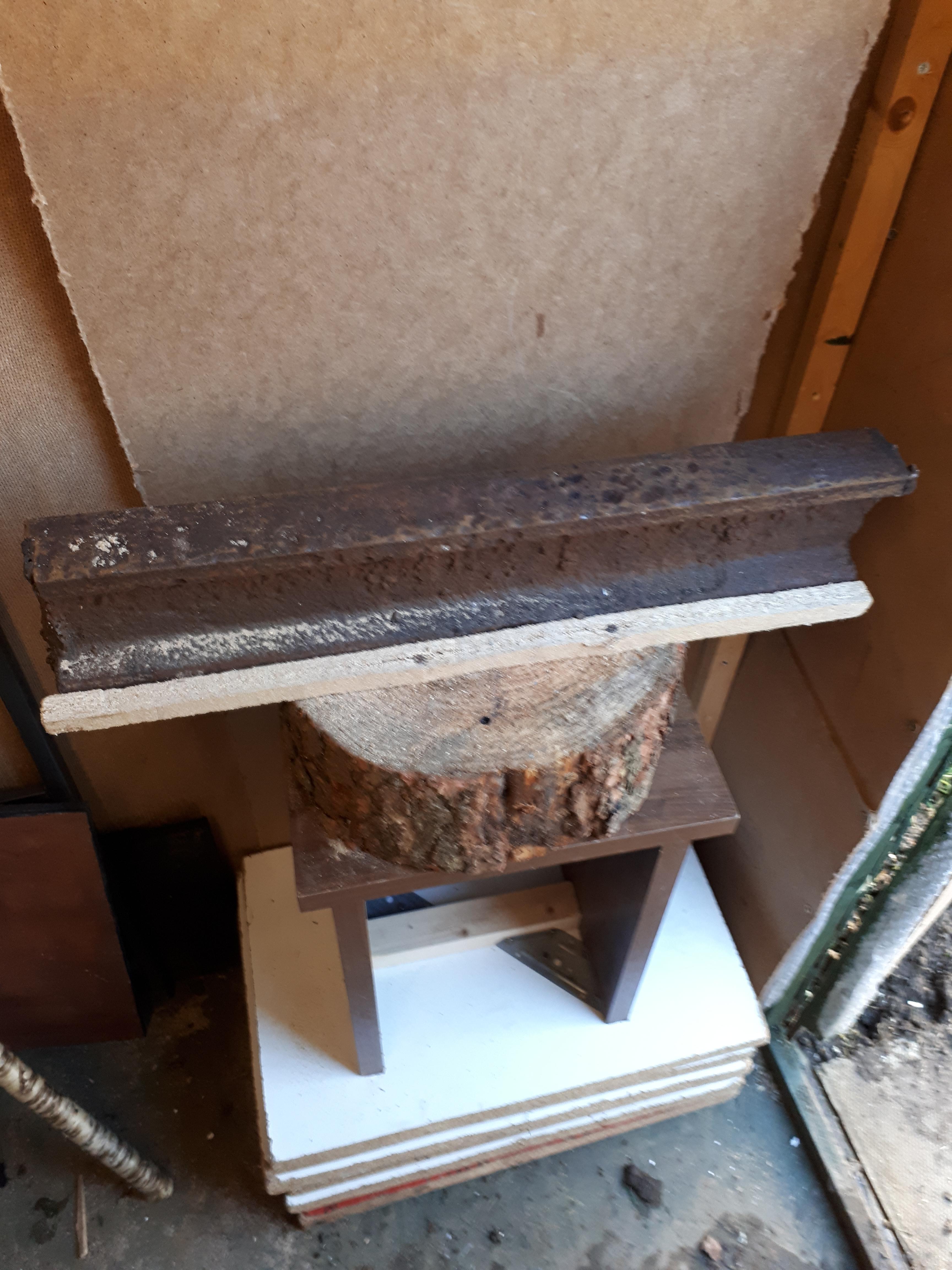
  1. Hey guys what do you think of my makeshift anvil and anvil stand?? Dan
  2. Hello caotropheus thank you i will look at this post. Cheers Dan
  3. Hello fellow blacksmiths Im just getting in to the craft and my father in law kindly gave me a piece of old railway track. 1st question = would a cheaper angle grinder cut and grind it in to a rough anvil shape?? 2nd = how do i get rid of thr ringing noisr when stuck?? Thanks in advance and sorry if this is in the wrong thread Dan the blacksmith
Account

Navigation

Search

Search

Configure browser push notifications

Chrome (Android)
  1. Tap the lock icon next to the address bar.
  2. Tap Permissions → Notifications.
  3. Adjust your preference.
Chrome (Desktop)
  1. Click the padlock icon in the address bar.
  2. Select Site settings.
  3. Find Notifications and adjust your preference.