Skip to content
View in the app

A better way to browse. Learn more.

I Forge Iron

A full-screen app on your home screen with push notifications, badges and more.

To install this app on iOS and iPadOS
  1. Tap the Share icon in Safari
  2. Scroll the menu and tap Add to Home Screen.
  3. Tap Add in the top-right corner.
To install this app on Android
  1. Tap the 3-dot menu (⋮) in the top-right corner of the browser.
  2. Tap Add to Home screen or Install app.
  3. Confirm by tapping Install.

CoalKracker

Members
  • Joined

  • Last visited

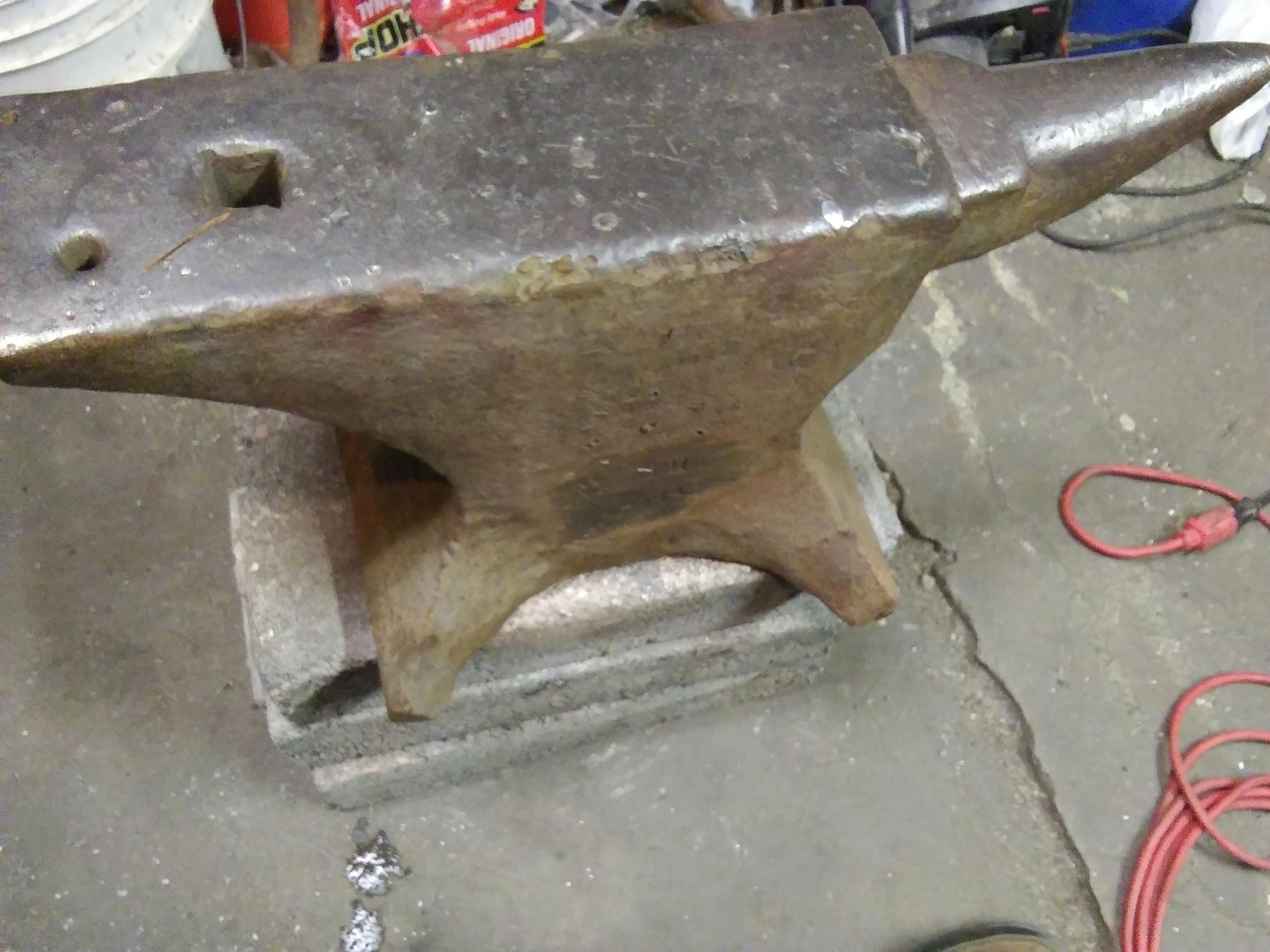
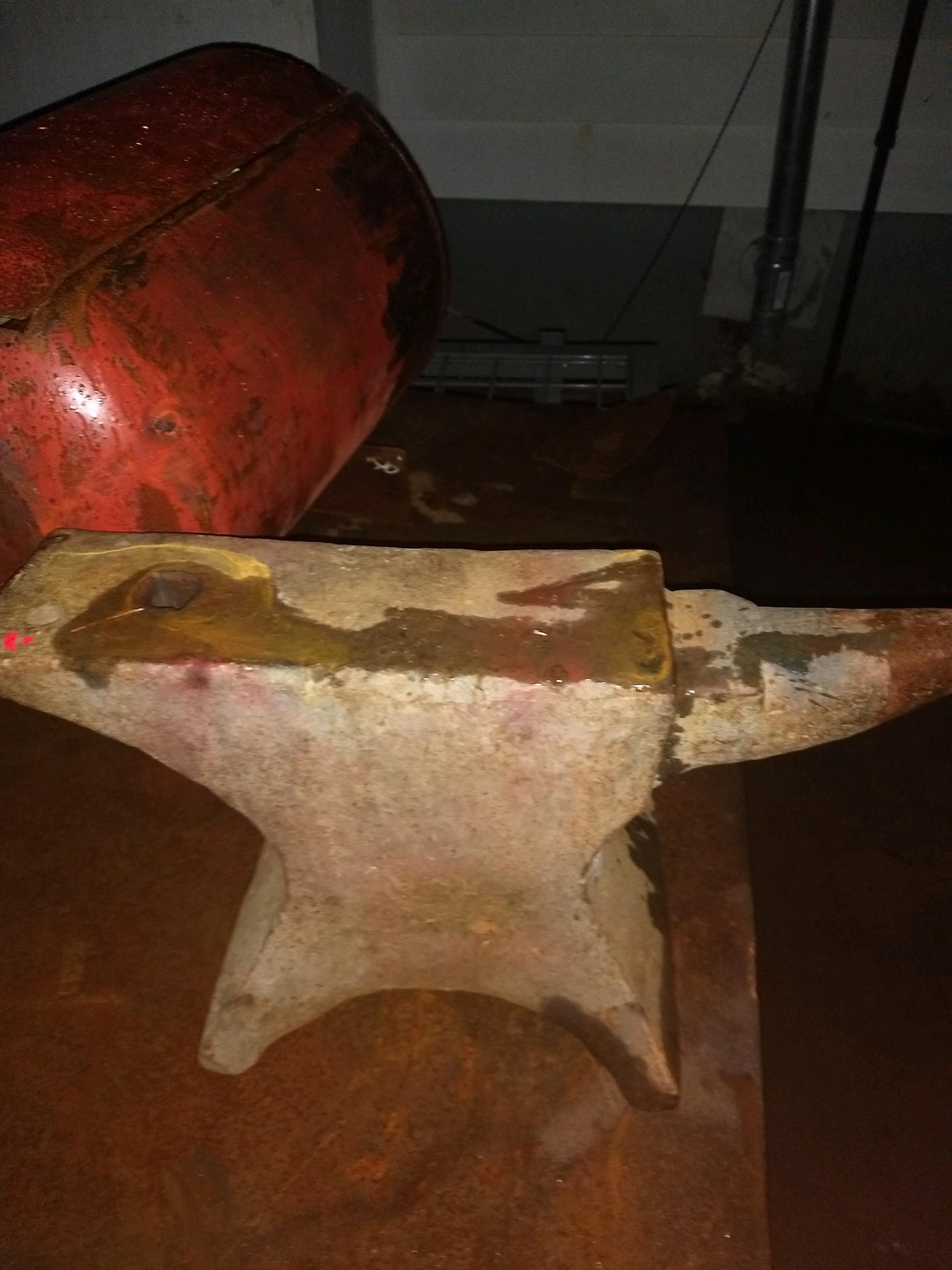
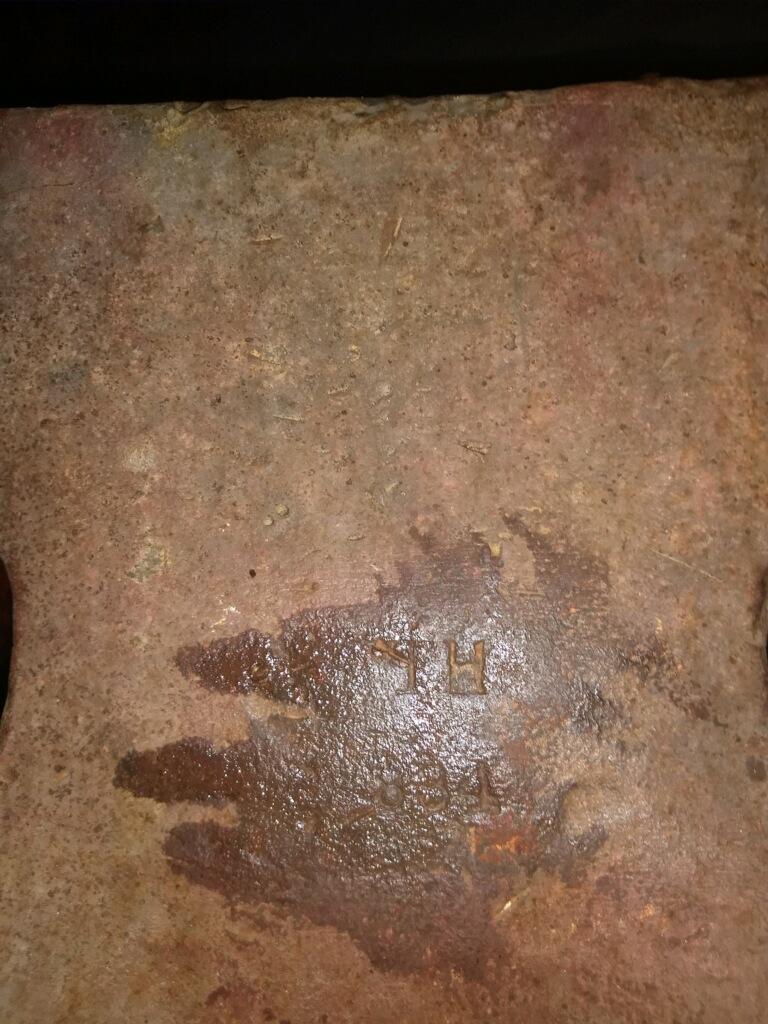
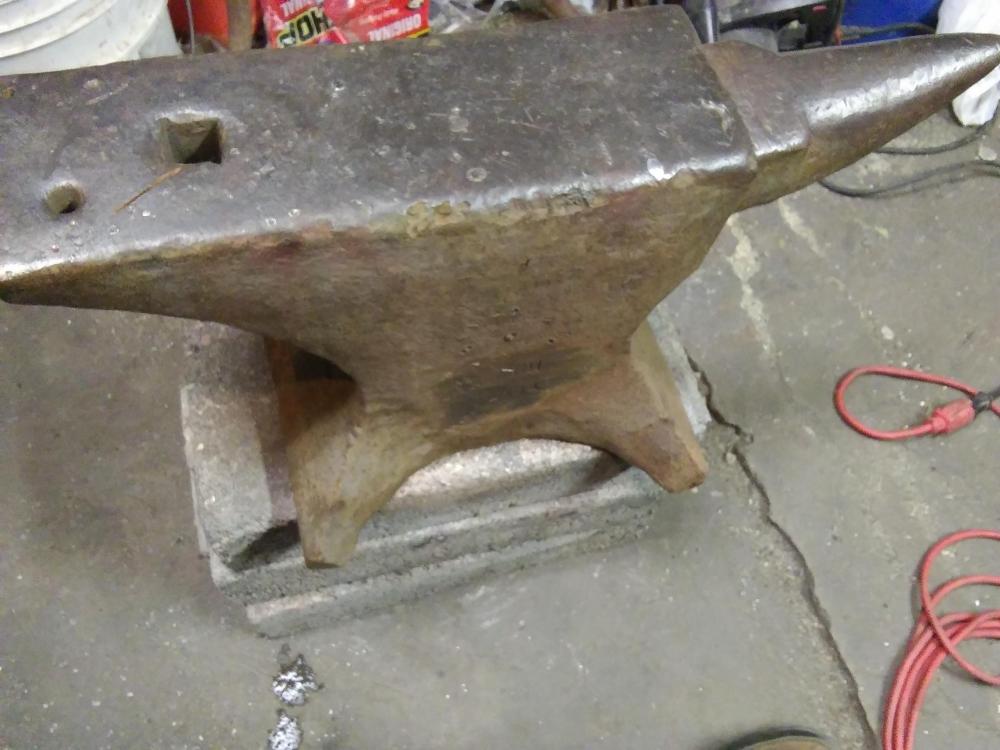
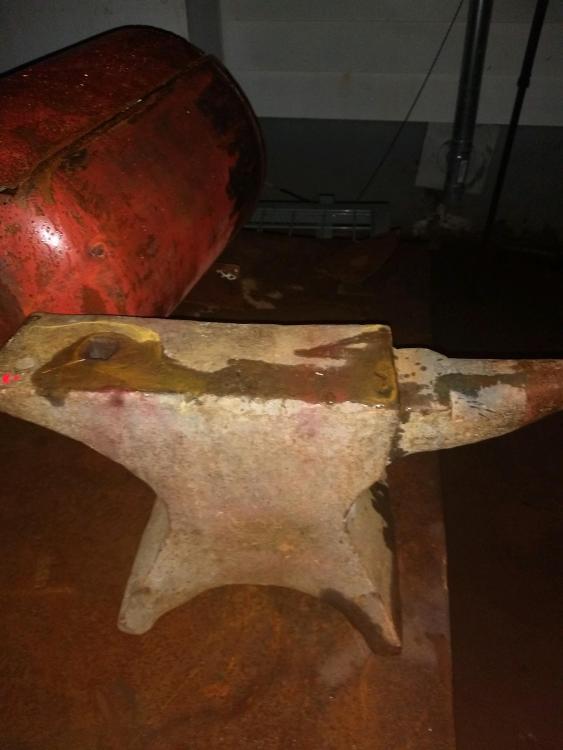
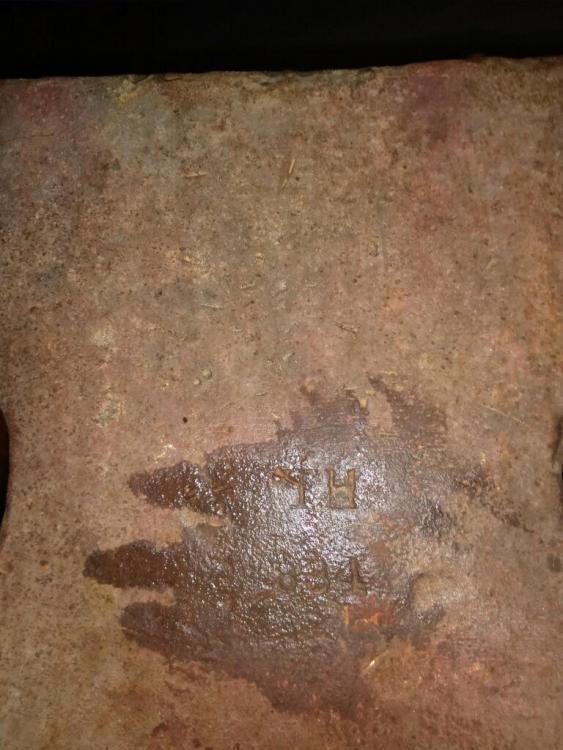
  1. Thank you for the replies! It possibly could be 1834 with the 1 missing . I can't see any part of a 1 on it though. I don't know what the TH stands for. And it does look pretty much exactly like a William Foster but the markings don't match. I went ahead and purchased it this evening. It has its imperfections but I'm happy with it. It doesn't have much of a ring to it but has what I feel like is good rebound. The hammer springs back and just keeps bouncing when let go from a few inches.
  2. Any info at all would be helpful.
  3. Hello all, I'm new to the forum and planning on purchasing my first anvil. Can someone please try to help me ID an anvil that I am interested in buying. Thank you. I forgot to mention the gentleman stated it is around 200 pounds when he weighed it.
Account

Navigation

Search

Search

Configure browser push notifications

Chrome (Android)
  1. Tap the lock icon next to the address bar.
  2. Tap Permissions → Notifications.
  3. Adjust your preference.
Chrome (Desktop)
  1. Click the padlock icon in the address bar.
  2. Select Site settings.
  3. Find Notifications and adjust your preference.