Cntryboy1289
Members
-
Joined
-
Last visited
-
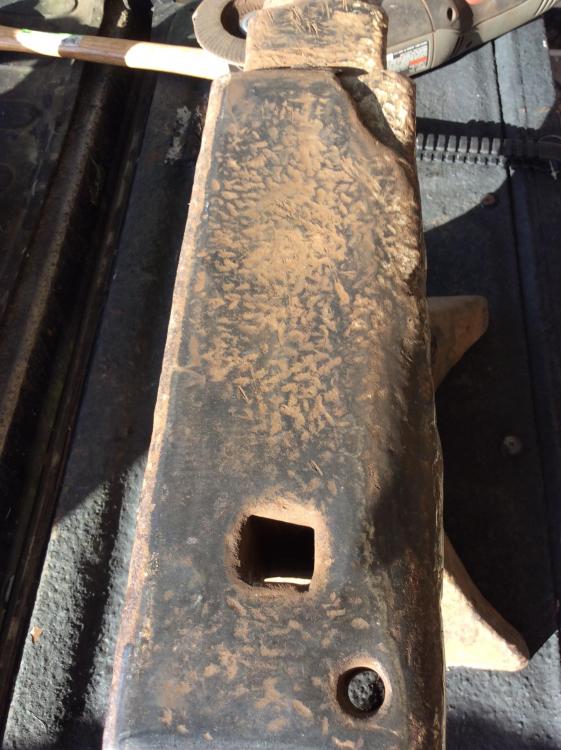
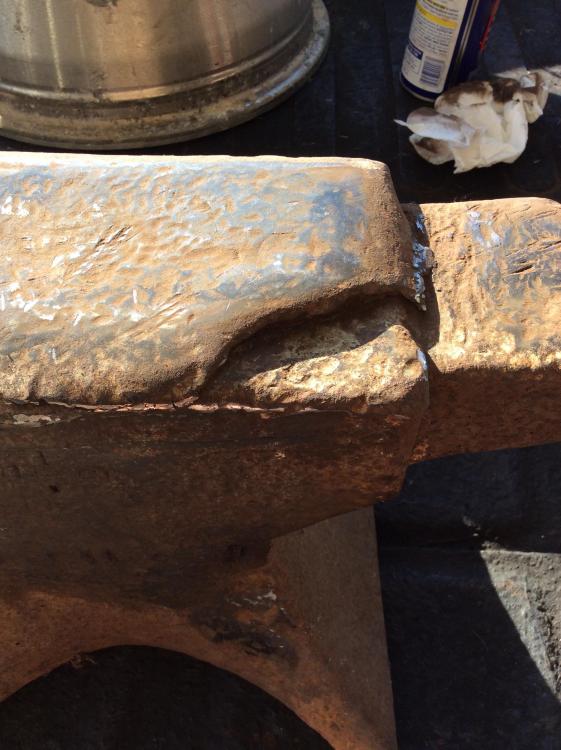
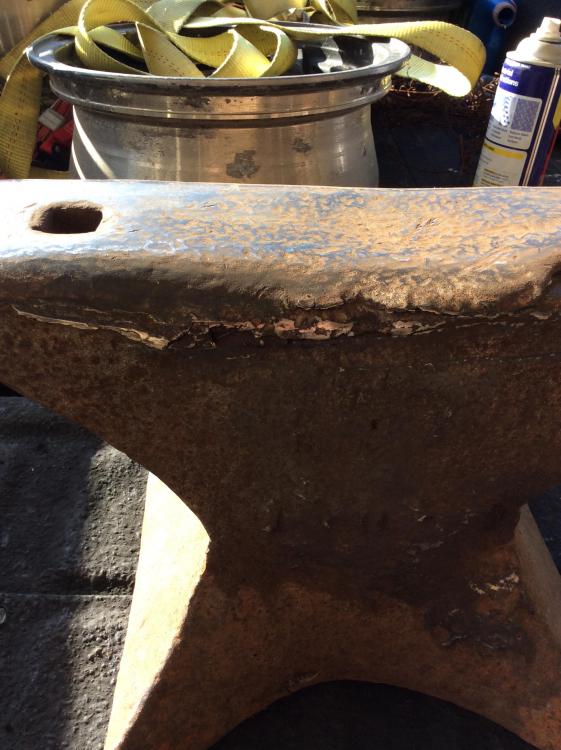
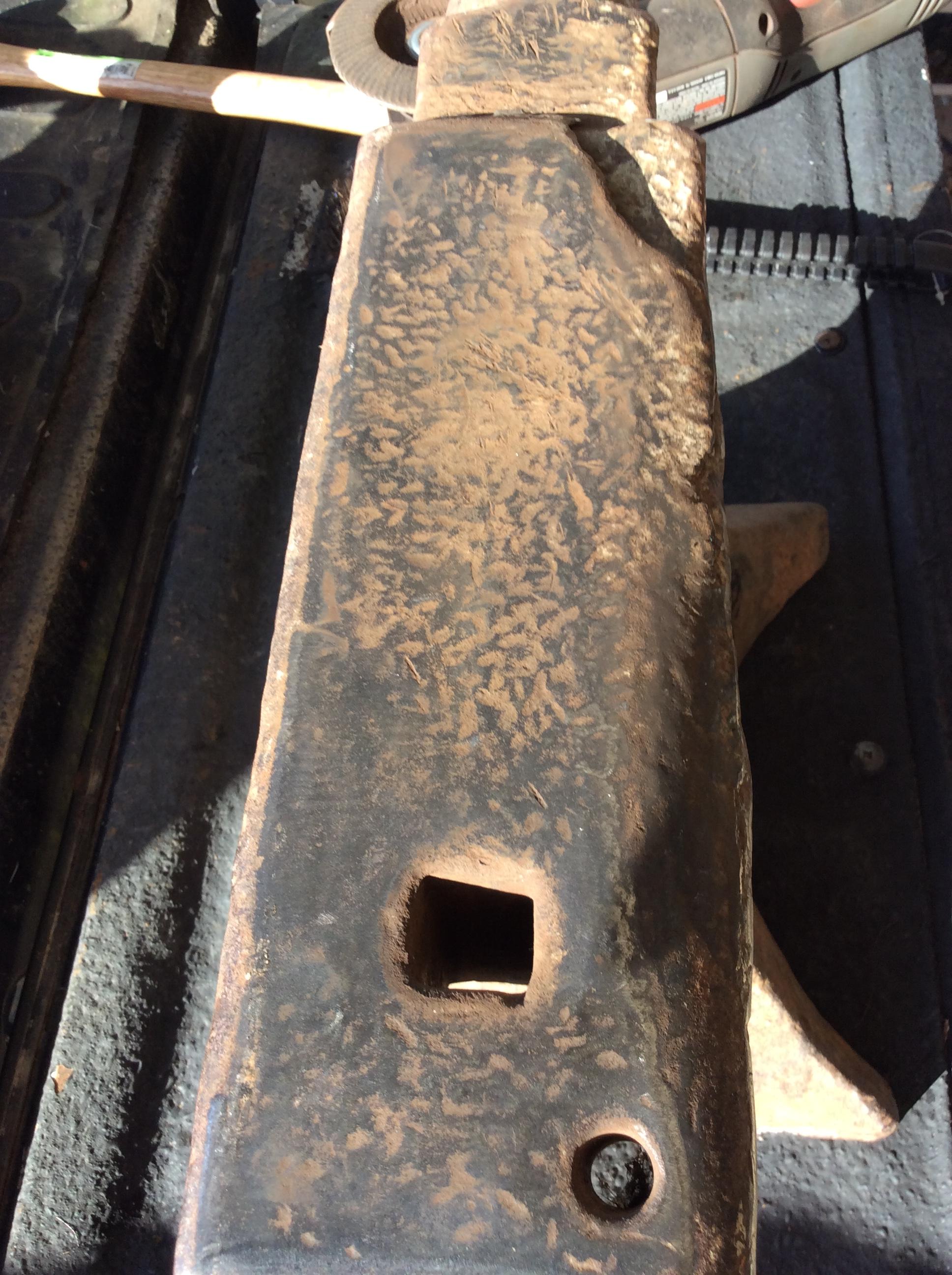
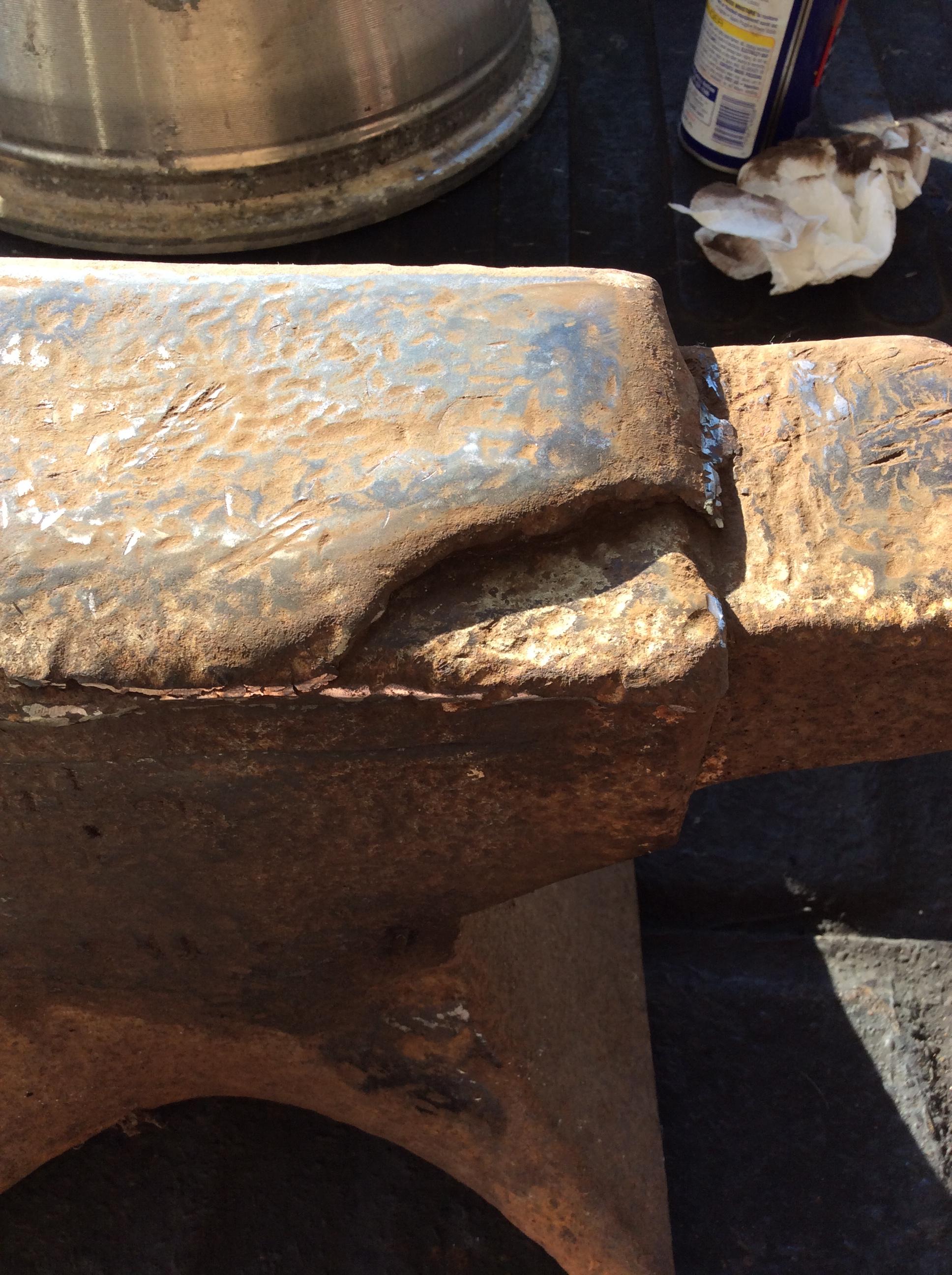
Thanks for the advice! From what I can tell, it had a lot of weld already added to it but it still has good rebound. Not to worried about the chip, I still have plenty of room where it is broken off. Think I’ll follow your advice, it would take a lot of grinding to get it flat front to back. I’ll use it as long as I can after planishing it before trying to weld a new top plate on. Hadn’t thought of using a forklift fork, I’ve got a source for one so I’ll check into that, thanks. BTW, any idea of what the 1 0 21 stands for? Really appreciate the advice!
-
Hello to all, been searching for an anvil and came across a M&H mouse hole anvil yesterday. Got it for a really good price and decided to pick it up. It’s stamped 1 0 21 and is 135lb anvil. It’s got good rebound all over but was welded over and has a large chip out right at the front. Can anyone tell me the best way to go from here, the middle of the face is a good 1/8”+ lower than the rest of the anvil and the side has a lot of weld rolled over.