Skip to content
View in the app

A better way to browse. Learn more.

I Forge Iron

A full-screen app on your home screen with push notifications, badges and more.

To install this app on iOS and iPadOS
  1. Tap the Share icon in Safari
  2. Scroll the menu and tap Add to Home Screen.
  3. Tap Add in the top-right corner.
To install this app on Android
  1. Tap the 3-dot menu (⋮) in the top-right corner of the browser.
  2. Tap Add to Home screen or Install app.
  3. Confirm by tapping Install.

igrindwell

Members
  • Joined

  • Last visited

Everything posted by igrindwell

  1. thank you thank you very much sorry if I seem ignorant I'm just very interested and very uninformed but excited to learn thank you
  2. Thank you very much if there's anything else you can tell me any more inside or maybe where I can find out more
  3. don't know if I'm doing this right but thank you brother for your Insight is there anything else you can tell me about it like how old it is what it might be worth I sure appreciate you and we share the same interests I'm also a guitar player and artist nice to meet you
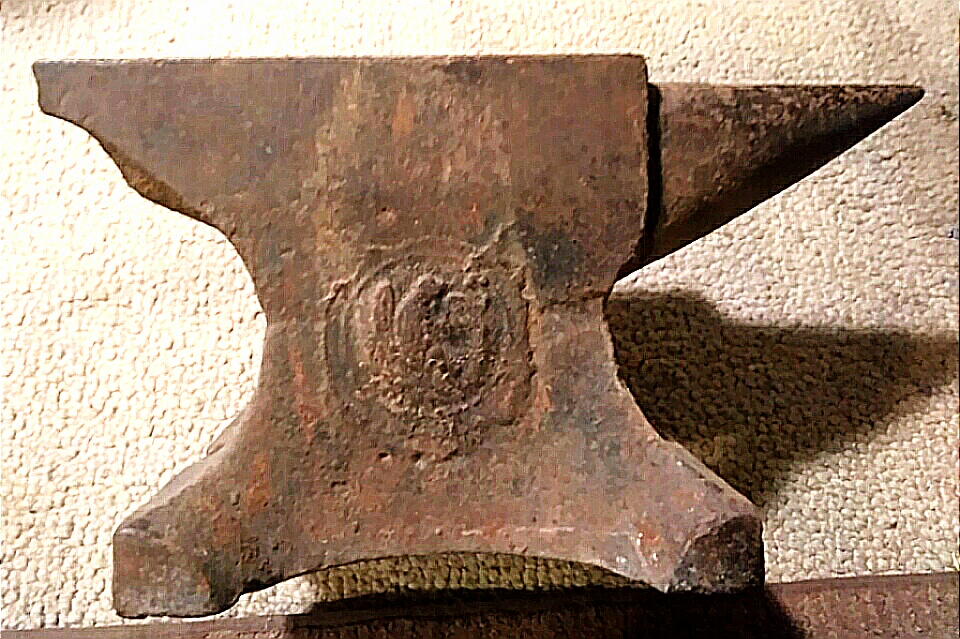
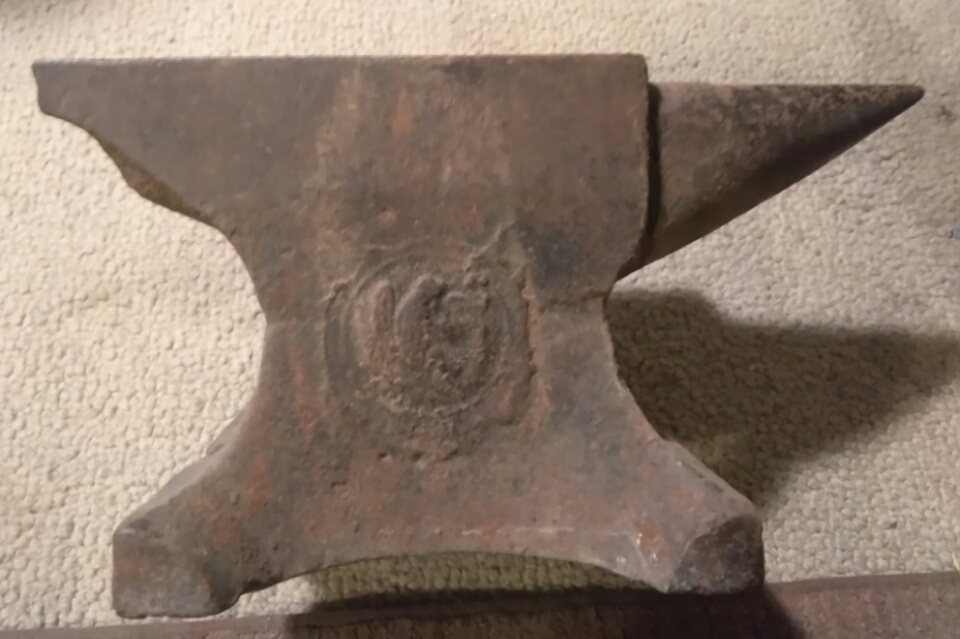
  4. I am so I am so new to blacksmithing that I'm beginning now, like right now! I would like to know if anyone can help me by identifying this anvil for me please I can only tell you that when I put my hands on it it feels rich with history I just don't know what it is , the second picture is the actual color in the first I adjusted the contrast and sharpness to try to bring out the logo I appreciate anything someone can tell me thank you
Account

Navigation

Search

Search

Configure browser push notifications

Chrome (Android)
  1. Tap the lock icon next to the address bar.
  2. Tap Permissions → Notifications.
  3. Adjust your preference.
Chrome (Desktop)
  1. Click the padlock icon in the address bar.
  2. Select Site settings.
  3. Find Notifications and adjust your preference.