Skip to content
View in the app

A better way to browse. Learn more.

I Forge Iron

A full-screen app on your home screen with push notifications, badges and more.

To install this app on iOS and iPadOS
  1. Tap the Share icon in Safari
  2. Scroll the menu and tap Add to Home Screen.
  3. Tap Add in the top-right corner.
To install this app on Android
  1. Tap the 3-dot menu (⋮) in the top-right corner of the browser.
  2. Tap Add to Home screen or Install app.
  3. Confirm by tapping Install.

mofsharick

Members
  • Joined

  • Last visited

  1. Frosty, Thanks for asking around. Steamboat, I had tried the Wayback machine approach too. I had the same experience that some pictures work and others didn't. I'm basically brand new to the hobby, but love researching and knowing clever ways of doing things. I'd hate to see Rich's ingenuity fade away.
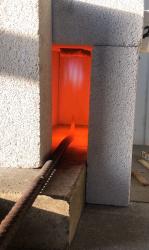
  2. About a year ago I stumbled across Rich Waugh's blog at Artmetal. The forge he was building really seemed to have some VERY innovative solutions. Now when I go back to the page there is a server error of some sort. I understand that he passed several years ago, and that maintenance of the page has probably not been kept up. I was wondering if anyone on here had happened to save the pictures, or had pictures of his forge? It seems a shame to lose some of that information / design ingenuity.
Account

Navigation

Search

Search

Configure browser push notifications

Chrome (Android)
  1. Tap the lock icon next to the address bar.
  2. Tap Permissions → Notifications.
  3. Adjust your preference.
Chrome (Desktop)
  1. Click the padlock icon in the address bar.
  2. Select Site settings.
  3. Find Notifications and adjust your preference.