Skip to content
View in the app

A better way to browse. Learn more.

I Forge Iron

A full-screen app on your home screen with push notifications, badges and more.

To install this app on iOS and iPadOS
  1. Tap the Share icon in Safari
  2. Scroll the menu and tap Add to Home Screen.
  3. Tap Add in the top-right corner.
To install this app on Android
  1. Tap the 3-dot menu (⋮) in the top-right corner of the browser.
  2. Tap Add to Home screen or Install app.
  3. Confirm by tapping Install.

Marc585

Members
  • Joined

  • Last visited

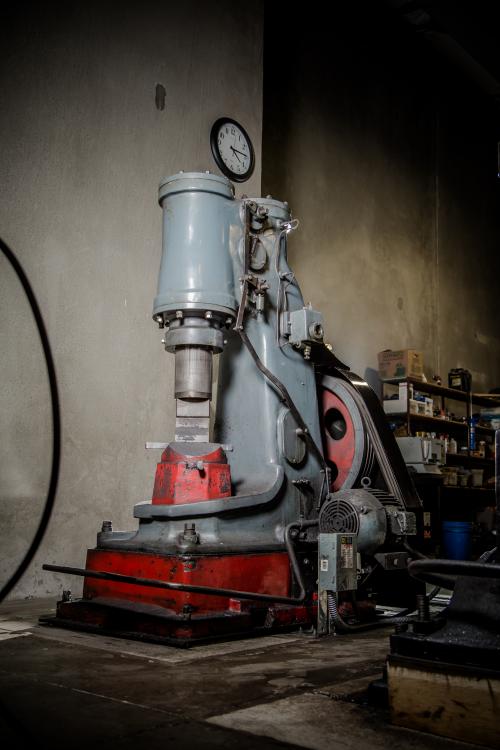
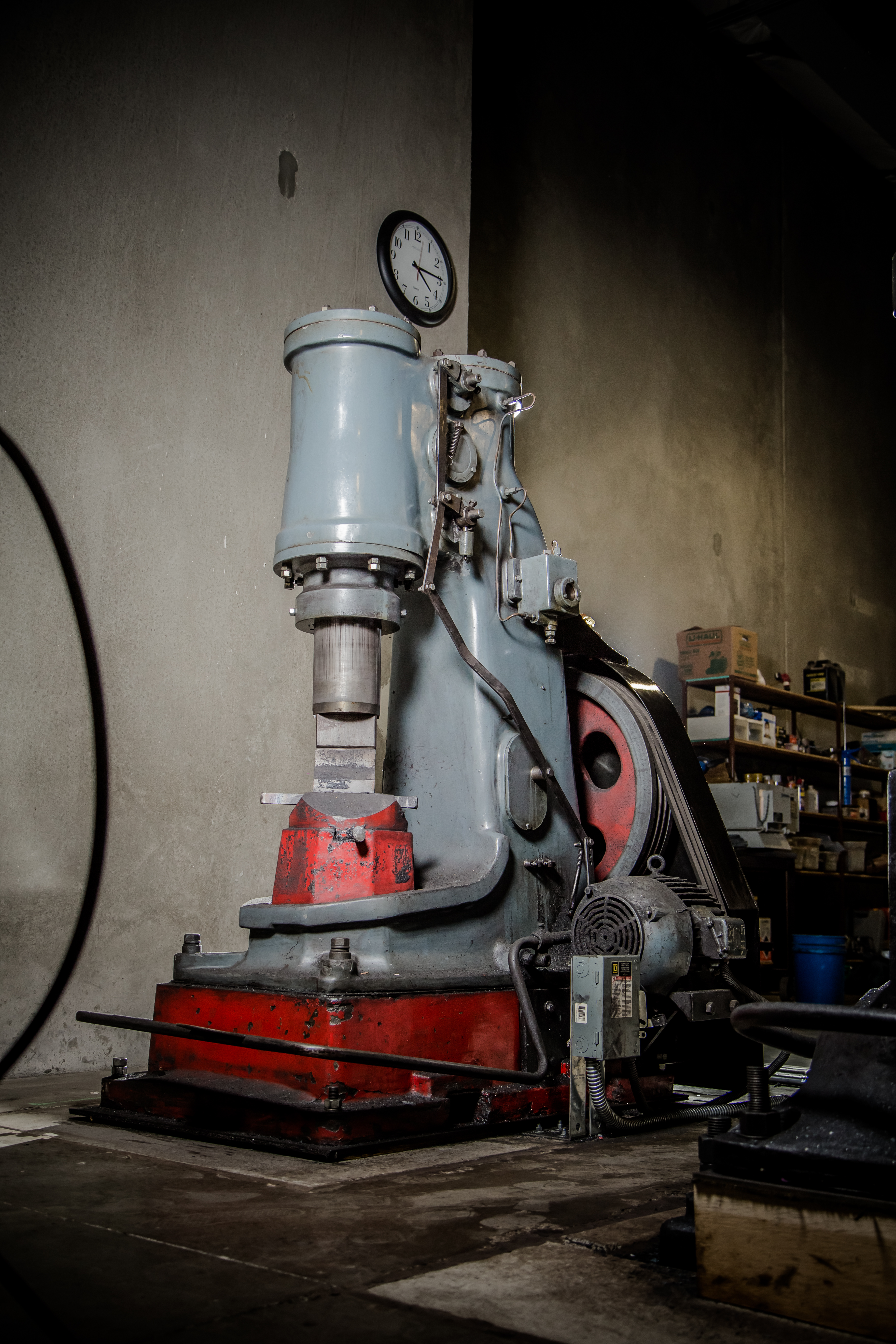
  1. Thanks for the reply Ian! The hammer is here in the US. I'm interested in buying it, but the owner who recently acquired it as part of a larger sale doesn't know what brand it is. Unfortunately there are no other markings except for the TC - 195. The owner thought that maybe it had been refurbished by Tom at some point.
  2. Hi all! Curious to know if anyone can help identify what brand of hammer this is. The only label on it reads "TC - 195". Guessing it was refurbished by Tom Clark at some point? Thanks in advance! Marc
Account

Navigation

Search

Search

Configure browser push notifications

Chrome (Android)
  1. Tap the lock icon next to the address bar.
  2. Tap Permissions → Notifications.
  3. Adjust your preference.
Chrome (Desktop)
  1. Click the padlock icon in the address bar.
  2. Select Site settings.
  3. Find Notifications and adjust your preference.