Skip to content
View in the app

A better way to browse. Learn more.

I Forge Iron

A full-screen app on your home screen with push notifications, badges and more.

To install this app on iOS and iPadOS
  1. Tap the Share icon in Safari
  2. Scroll the menu and tap Add to Home Screen.
  3. Tap Add in the top-right corner.
To install this app on Android
  1. Tap the 3-dot menu (⋮) in the top-right corner of the browser.
  2. Tap Add to Home screen or Install app.
  3. Confirm by tapping Install.

dirtyunclebob

Members
  • Joined

  • Last visited

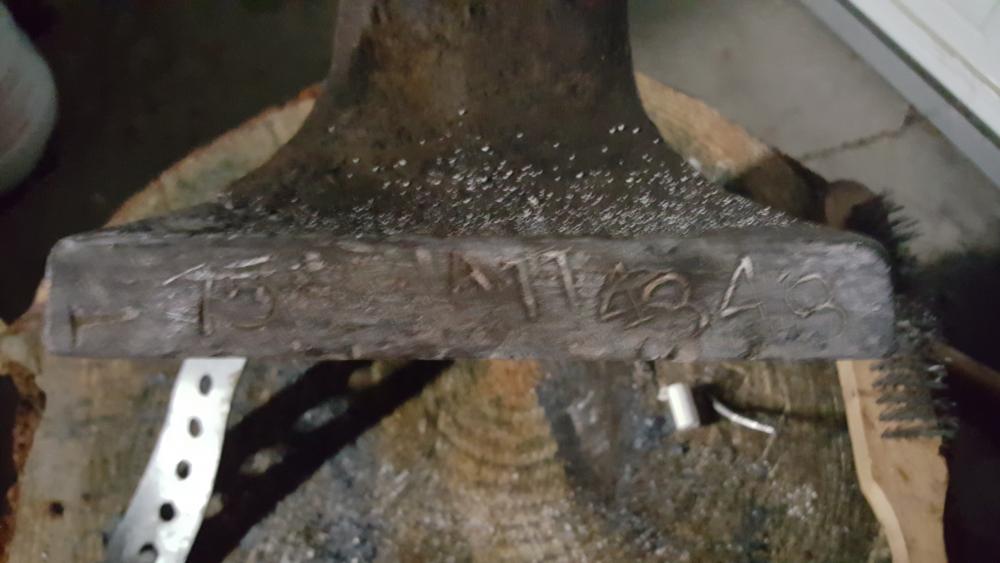
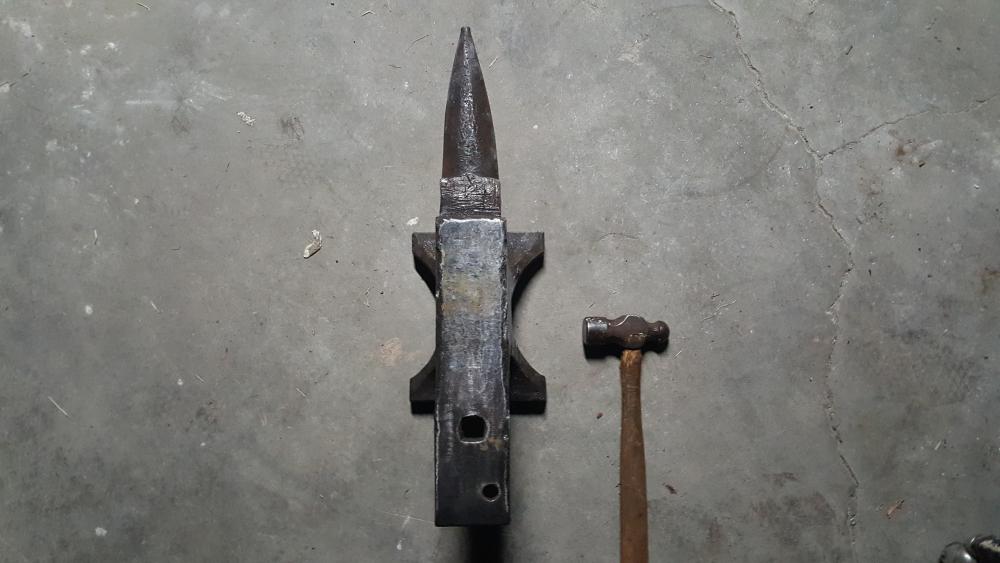
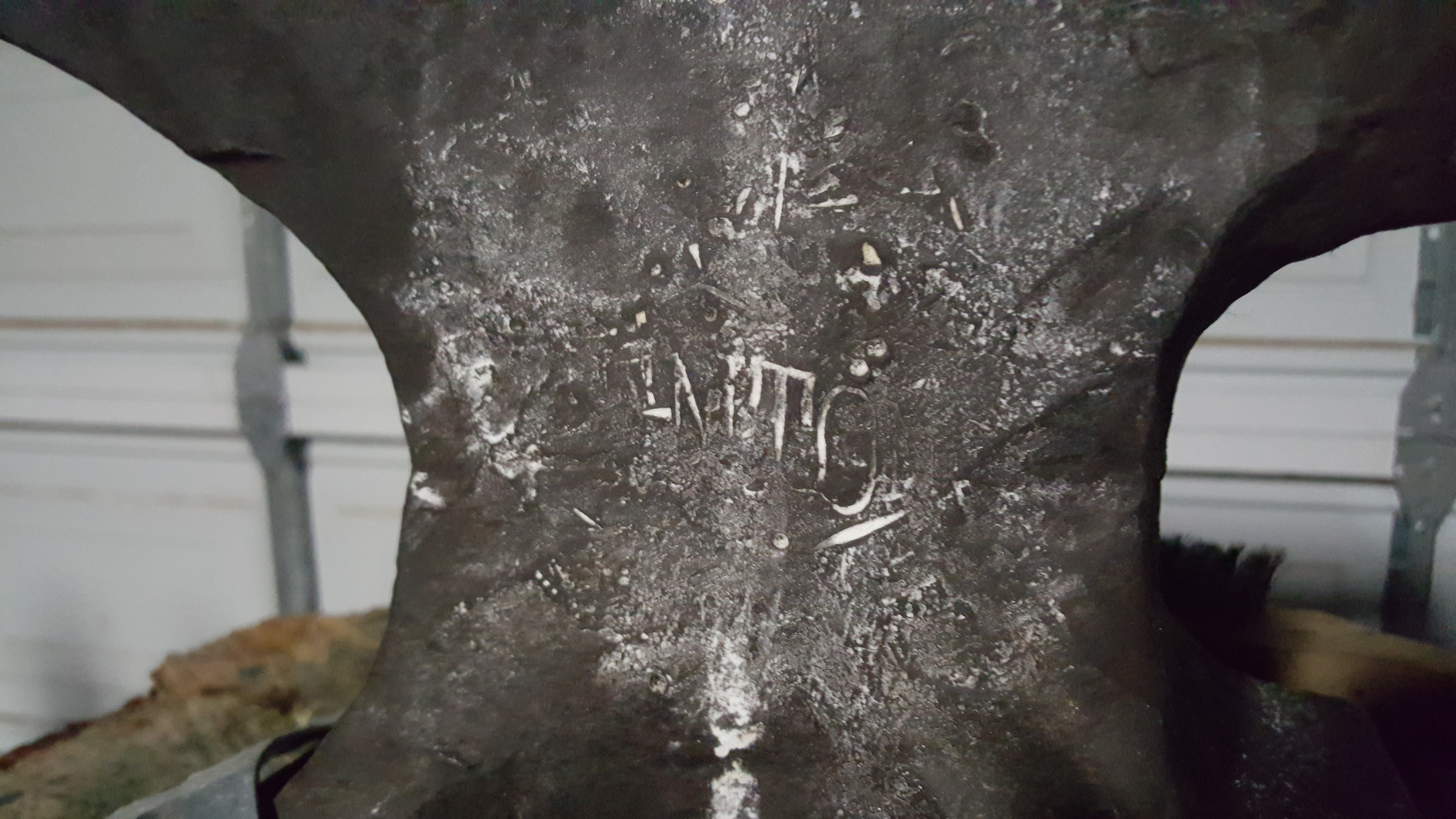
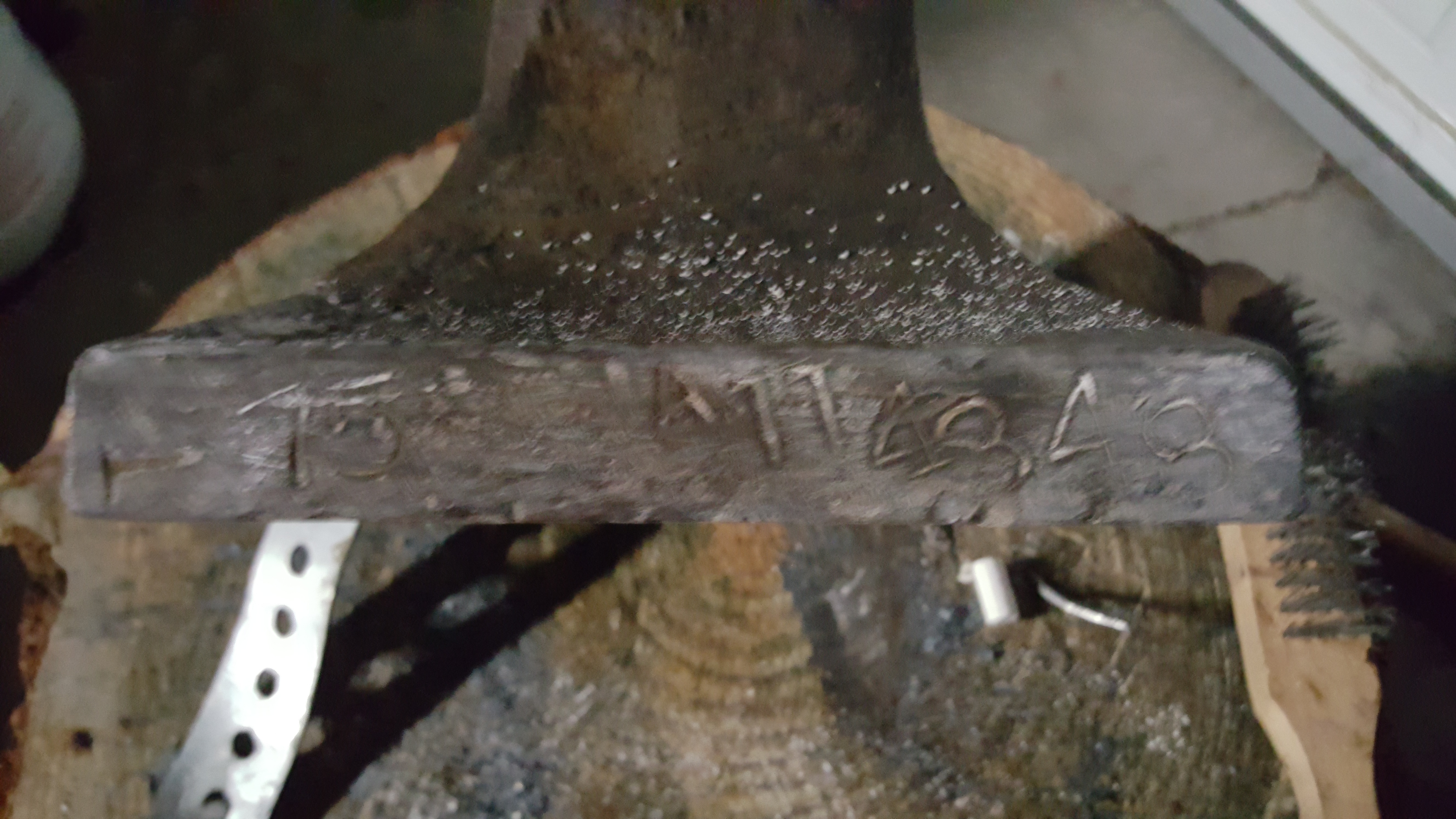
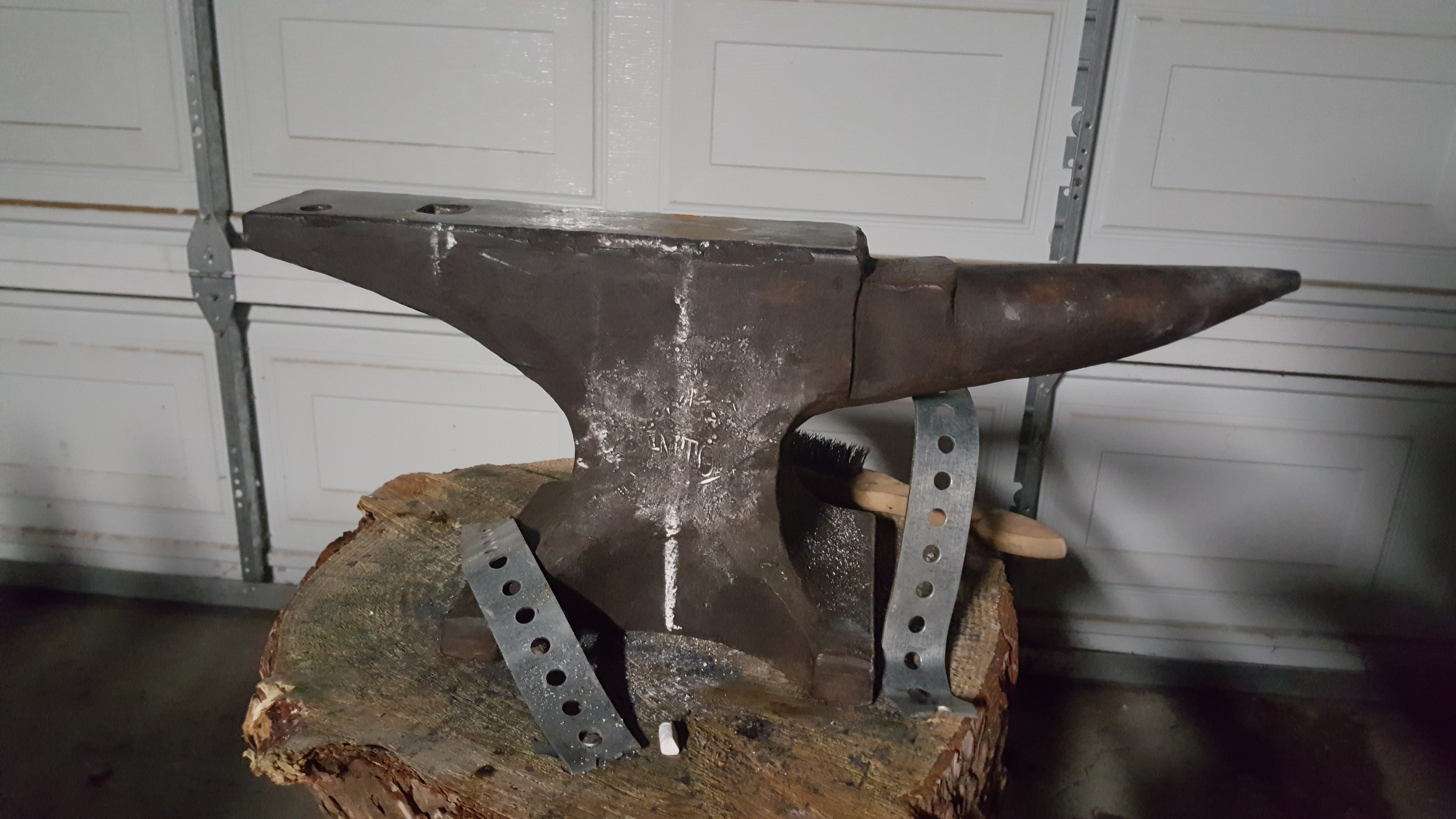
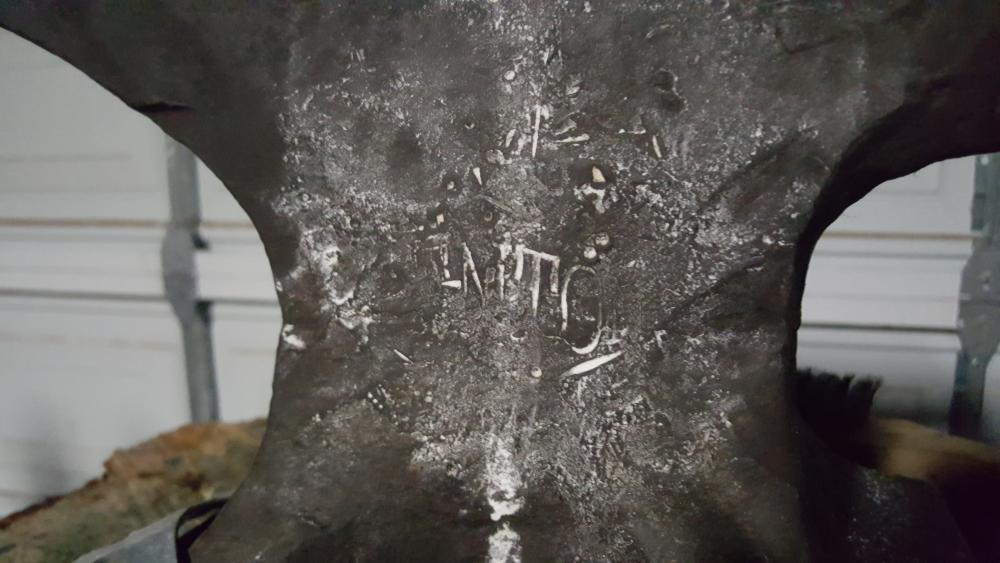
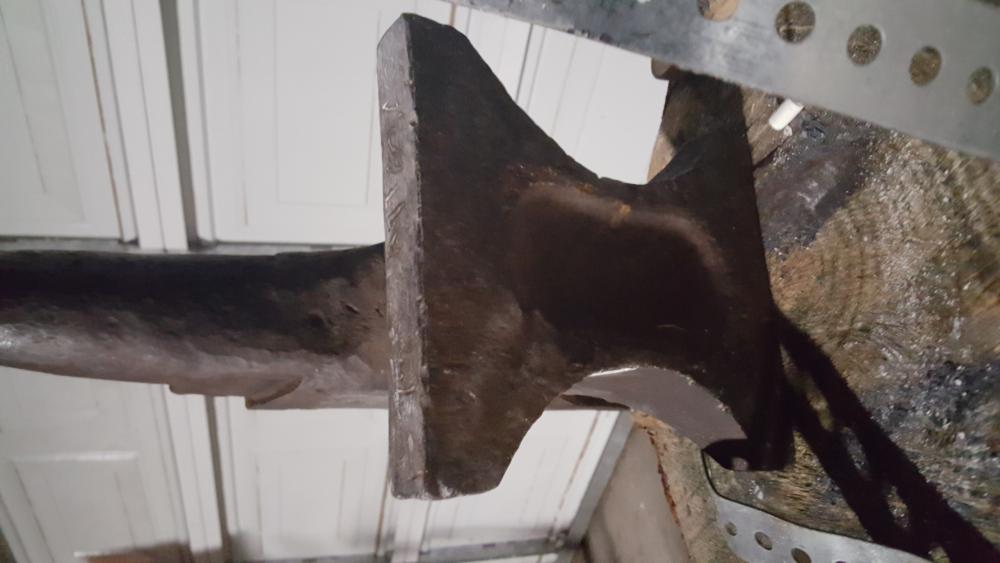
  1. Hi all, I've been lurking and soaking up some of the info here for a while. I just recently scored an anvil and was hoping someone could help me ID it and find the age. The Seattle Library has the AIA book but I work Library hours at the day job :| The stamp is pretty worn off, but it looks like it used to be the Trenton diamond. I chalk rubbed it hoping to show a little bit more but it wasn't much help. It's 75 lbs with the serial A114348. The edges are a little chewed up but the surface is in pretty good shape. Any help would be appreciated! Thanks! Bob
Account

Navigation

Search

Search

Configure browser push notifications

Chrome (Android)
  1. Tap the lock icon next to the address bar.
  2. Tap Permissions → Notifications.
  3. Adjust your preference.
Chrome (Desktop)
  1. Click the padlock icon in the address bar.
  2. Select Site settings.
  3. Find Notifications and adjust your preference.