
drshaka
Members
-
Joined
-
Last visited
Everything posted by drshaka
-
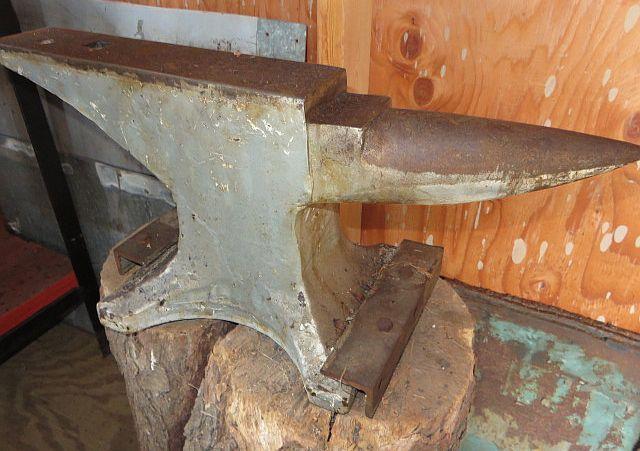
a friend sent me these pics but i wont have access prior to purchasing. anyone have any ideas on what it is? thanks mark

-
update its not in as bad of shape as i thought, just a combo of dirt and rust. once if get the forge working and a stand ill start cleaning the face the fun way.
-
no ball bearings handy so i used a hammer and rebound was 90% and the ring was very long and loud so i bought it for $250, probably too much but every anvil within 400 miles is made of gold around here. it looks like it spent the last few decades in a field the surface looks like it spent some time at the bottom of the ocean so its gonna be interesting how well it cleans up.
-
i dont want to end up with a soft anvil and found this one locally. does anyone have any info, mainly is this a good anvil? thanks mark
.jpg.0c8b860e042a68694ed9e1b358e95aaf.jpg)