Skip to content
View in the app

A better way to browse. Learn more.

I Forge Iron

A full-screen app on your home screen with push notifications, badges and more.

To install this app on iOS and iPadOS
  1. Tap the Share icon in Safari
  2. Scroll the menu and tap Add to Home Screen.
  3. Tap Add in the top-right corner.
To install this app on Android
  1. Tap the 3-dot menu (⋮) in the top-right corner of the browser.
  2. Tap Add to Home screen or Install app.
  3. Confirm by tapping Install.

X3r0

Members
  • Joined

  • Last visited

  1. ​So I should dig a single hole with a pipe for airflow going into the bottom? this can heat iron to a workable heat?
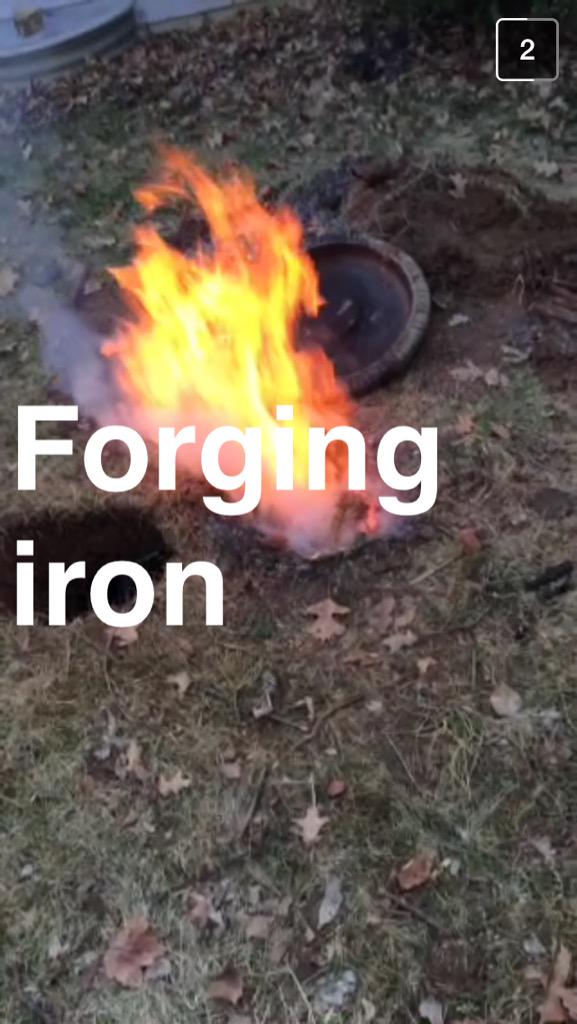
  2. ​best picture I have is this here. I originally took this to show off to my friends but this works too the hole with the cyclone of flame is the "forge" and the hole to the left has an 8 inch fan aimed through a small gap underground into the hole with fire
  3. I'm having a lot of trouble getting started into metal working as a hobby. So far I've gotten most of what I need; A trip to lowes and some craigslist searching found me a decent anvil and a hammer. My difficulty presented itself when I began to try some basic techniques I found I set several pieces of metal into what I called a forge but I feel Its just not getting enough heat My design was just a Dakota fire pit with an 8 inch fan from the lowes trip but The airflow seemed to help the fire but it still felt very limited. How much airflow should I have or am I doing something wrong trying to forge in dirt
Account

Navigation

Search

Search

Configure browser push notifications

Chrome (Android)
  1. Tap the lock icon next to the address bar.
  2. Tap Permissions → Notifications.
  3. Adjust your preference.
Chrome (Desktop)
  1. Click the padlock icon in the address bar.
  2. Select Site settings.
  3. Find Notifications and adjust your preference.