Skip to content
View in the app

A better way to browse. Learn more.

I Forge Iron

A full-screen app on your home screen with push notifications, badges and more.

To install this app on iOS and iPadOS
  1. Tap the Share icon in Safari
  2. Scroll the menu and tap Add to Home Screen.
  3. Tap Add in the top-right corner.
To install this app on Android
  1. Tap the 3-dot menu (⋮) in the top-right corner of the browser.
  2. Tap Add to Home screen or Install app.
  3. Confirm by tapping Install.

BORZ

Members
  • Joined

  • Last visited

  1. BORZ posted a gallery image in Member Galleries
  2. BORZ replied to BORZ's topic in Member Projects
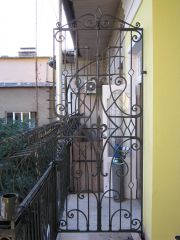
    about 12 days for the job,and a day for buying the materials. but i think with more experience it may be a few days shorter... in hours about 100?
  3. BORZ posted a topic in Member Projects
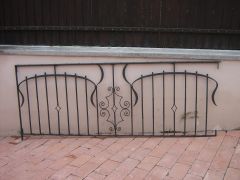
    just have done with the gate, it is to replace an old broken one. (to take it up the stairs to the 6th floor has been quite a challenge...)unfortunately i got pics of making lost,just a few left.the frame 20*20,else 14*14 mm.to the lower 'hinge' i put a toe bearing,it makes the gate open nice
  4. BORZ posted a gallery image in Member Galleries
  5. BORZ posted a gallery image in Member Galleries
  6. BORZ posted a gallery image in Member Galleries
  7. BORZ posted a gallery image in Member Galleries

Account

Navigation

Search

Search

Configure browser push notifications

Chrome (Android)
  1. Tap the lock icon next to the address bar.
  2. Tap Permissions → Notifications.
  3. Adjust your preference.
Chrome (Desktop)
  1. Click the padlock icon in the address bar.
  2. Select Site settings.
  3. Find Notifications and adjust your preference.