Skip to content
View in the app

A better way to browse. Learn more.

I Forge Iron

A full-screen app on your home screen with push notifications, badges and more.

To install this app on iOS and iPadOS
  1. Tap the Share icon in Safari
  2. Scroll the menu and tap Add to Home Screen.
  3. Tap Add in the top-right corner.
To install this app on Android
  1. Tap the 3-dot menu (⋮) in the top-right corner of the browser.
  2. Tap Add to Home screen or Install app.
  3. Confirm by tapping Install.

shanti

Members
  • Joined

  • Last visited

  1. Thany you for the good words .
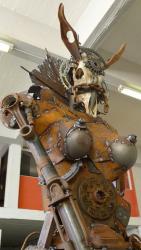
  2. Good morning everyone and hello from the Knysna Forest in South Africa . I am a blacksmith sculptor and currently building a workshop for myself on a farm I just purchased . I have been working in metal for 20 years now and have worked all over the world with my craft . I have experience in bronze casting and metalwork ( my skills are self taught ) I have made movie props , furniture and sculptures mainly and here is a few examples More of my work can be viewed on deviantart - http://shanti1971.deviantart.com/ I am currently making a new forge so am very open to ideas on forced air coal forges made from brick ( want an old school look ) Anyways hope I can contribute towards this site Keep well and keep creating Derek
Account

Navigation

Search

Search

Configure browser push notifications

Chrome (Android)
  1. Tap the lock icon next to the address bar.
  2. Tap Permissions → Notifications.
  3. Adjust your preference.
Chrome (Desktop)
  1. Click the padlock icon in the address bar.
  2. Select Site settings.
  3. Find Notifications and adjust your preference.