dstnvance
Members
-
Joined
-
Last visited
-
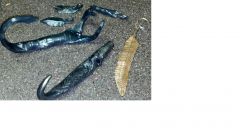
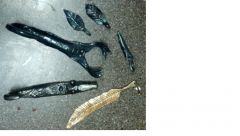
A few things i've made. The wizard wall hook I saw on artistblacksmith.com and tried my best to recreate. A leaf I couldn't get to shap i rolled up and said "it wilted". The scorpion wall hook was made from flat bar. thanks for looking! http://www.iforgeiron.com/gallery/image/36370-wizard-scorpion-leaves-and-a-feather/ http://www.iforgeiron.com/gallery/image/36369-wizard-scorpion-leaves-and-a-feather/
-
-
-
Corian makes a nice handle, and its definitely something off the beaten path
-
Hey all, I've been lurking for a little while and should have introduced myself sooner! I started forging last november with the idea of making knives. the more time i spend at the anvil however the more i find i want to make other things. Really enjoying all the forks, spoons, bottle openers, crosses and roses i've turned out so far!