
Skip to content
View in the app

A better way to browse. Learn more.

I Forge Iron

A full-screen app on your home screen with push notifications, badges and more.

To install this app on iOS and iPadOS
  1. Tap the Share icon in Safari
  2. Scroll the menu and tap Add to Home Screen.
  3. Tap Add in the top-right corner.
To install this app on Android
  1. Tap the 3-dot menu (⋮) in the top-right corner of the browser.
  2. Tap Add to Home screen or Install app.
  3. Confirm by tapping Install.

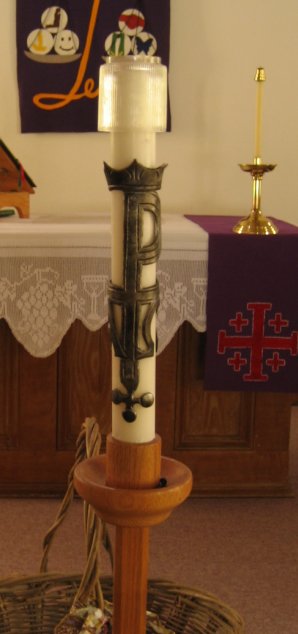
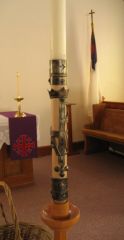
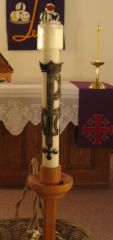
Paschal Candle Symbol -- Original

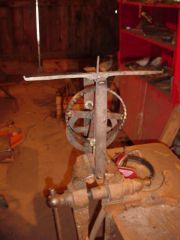
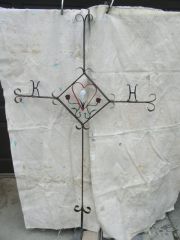
The symbol set for the Paschal Candle is tooled from one piece. It was made awhile ago at the request of the pastor of our Lutheran church to allow using a plain white candle rather than the ornately painted (and more expensive) Paschal candle. The problem is that as the candle burned down to the point in this picture, the symbol set got in the way, necessitating replacing the candle about 14" before it is consumed. To get around this problem, I made a candle holder extension, as seen in the other picture.

  • From the category:

    Member Galleries

    · 11,262 images

    Account

    Navigation

    Search

    Search

    Configure browser push notifications

    Chrome (Android)
    1. Tap the lock icon next to the address bar.
    2. Tap Permissions → Notifications.
    3. Adjust your preference.
    Chrome (Desktop)
    1. Click the padlock icon in the address bar.
    2. Select Site settings.
    3. Find Notifications and adjust your preference.