Skip to content
View in the app

A better way to browse. Learn more.

I Forge Iron

A full-screen app on your home screen with push notifications, badges and more.

To install this app on iOS and iPadOS
  1. Tap the Share icon in Safari
  2. Scroll the menu and tap Add to Home Screen.
  3. Tap Add in the top-right corner.
To install this app on Android
  1. Tap the 3-dot menu (⋮) in the top-right corner of the browser.
  2. Tap Add to Home screen or Install app.
  3. Confirm by tapping Install.

carbon based life form

Featured Replies

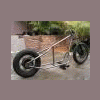
Greetings metal people. Here are some pics of a recent project. I'm still still trying to get my shop set up to do the blacksmithing side of work that I'd like to do, so for now my work only emulates what I hope to create in the future using traditional smithing techniques. Hopefully there will be some nicely hammer textured work in my next pictures. Thanks to every one for posting their techniques and work.

9689.attach

9690.attach

9691.attach

9692.attach

9693.attach

I like it and I like the setting too- especially since where I am its coverered in snow...!
Is it made from tube?

  • Author

Thank you for the compliments. It is made from tube. It starts at 3" and tapers to
1 1/4".
Join the conversation

You can post now and register later. If you have an account, sign in now to post with your account.

Guest
Reply to this topic...

Account

Navigation

Search

Search

Configure browser push notifications

Chrome (Android)
  1. Tap the lock icon next to the address bar.
  2. Tap Permissions → Notifications.
  3. Adjust your preference.
Chrome (Desktop)
  1. Click the padlock icon in the address bar.
  2. Select Site settings.
  3. Find Notifications and adjust your preference.