November 23, 201312 yr Chile Forge - two burner Habanero model - arrived.I have never seen a product packaged as well as this was - everything is absolutely perfect upon arrival.Set up and firing it up today.Have had the opportunity to use 1 and 2 burner models at knife making demos and other blacksmithing demos - that's what sold me. I can read and read what others say about this and that on this and other sites - but actually trying out a forge is, at least for me, the best way to decide.And I tried out 6 different makes.Thanks to Stacie for answering every question I had - and there were quite a few!This thing is built like a tank - will post some photos and a report some time soon....but right now I have some iron to heat and beat!Dean link removed due to advertising issue
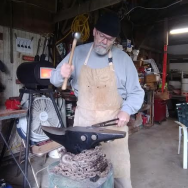
November 24, 201312 yr Author Well folks, couldn't be happier! Followed the directions for placement of the interior forge armor, hooked it all up, bolted it to the stand - legs were cut to the exact length I ordered - and fired it up. Incredible amount of heat in very short order at just 3 psi. Cranked it up to various other pressures and this does way more than I asked for! So far so good - very happy with this purchase and as this is my first gas forge I'm very happy with the time it takes to get to work compared to my coal days. Always glad I learned the basics on coal...but won't go back now. OK then - it's only 9:00pm here so back to the shop....;) Dean
Join the conversation
You can post now and register later. If you have an account, sign in now to post with your account.