Skip to content
View in the app

A better way to browse. Learn more.

I Forge Iron

A full-screen app on your home screen with push notifications, badges and more.

To install this app on iOS and iPadOS
  1. Tap the Share icon in Safari
  2. Scroll the menu and tap Add to Home Screen.
  3. Tap Add in the top-right corner.
To install this app on Android
  1. Tap the 3-dot menu (⋮) in the top-right corner of the browser.
  2. Tap Add to Home screen or Install app.
  3. Confirm by tapping Install.

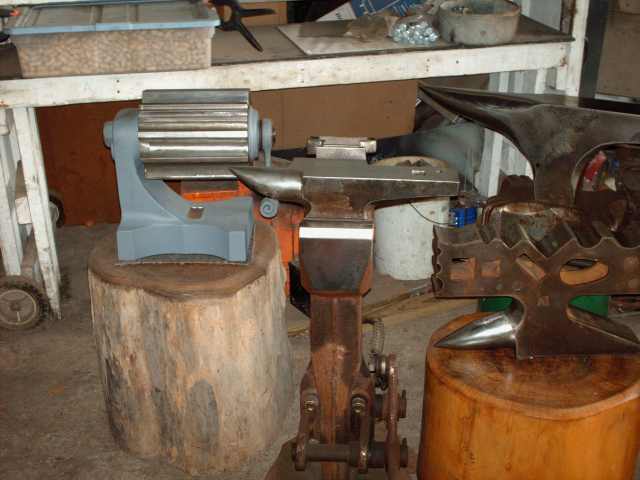
Small round swage, and stepvice, and anvils

There is the small round swage block, and the step vice with the anvil built into it, and then the swageblock based anvil. These are all from a hammer-in I went to very cool stuff. A lot of people have cool ideas, Jimmy seems to have the unique gift to go ahead and make them reality...

  • From the category:

    Member Galleries

    · 11,262 images

    Account

    Navigation

    Search

    Search

    Configure browser push notifications

    Chrome (Android)
    1. Tap the lock icon next to the address bar.
    2. Tap Permissions → Notifications.
    3. Adjust your preference.
    Chrome (Desktop)
    1. Click the padlock icon in the address bar.
    2. Select Site settings.
    3. Find Notifications and adjust your preference.