lots"o"gas
Members
-
Joined
-
Last visited
-
 Thanks fellas..
 -
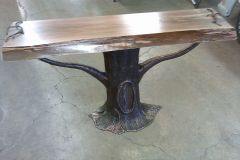 Tree console table base with Walnut slab... I tried a new Patina tonight and it's the BOMB!!!!!!!!!!!!!!!!!!!!!!!!! It looks dead like bronze.. The metal chasing was a bear on this one but I'm happy with the end result.
 -
 Yeah.... but the tetanus would would make you forget your neck ache :rolleyes:
 -
I love mixing materials, media, and styles
-
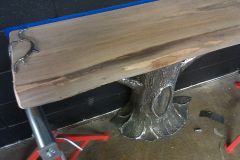 Lots of time in the base....It was fun but certainly lots of chasing...
 -
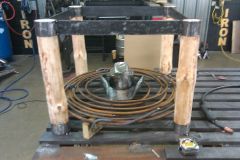 Under construction....Still got a ways to go
 -
-
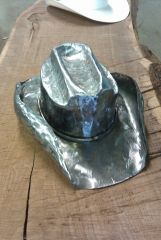
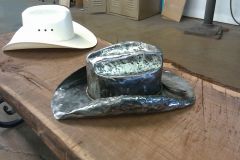
Full scale cowboy hat... It's part of a table.. I love projects like this, keep up the nice work guys and gals!!
-
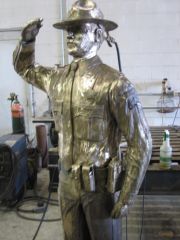 We do the art in clay and send it to the foundry where molds are made..... It's a lost wax technique and is very labor intensive. I love forging but some projects have to be cast.... I'll try to find some pictures of it in clay. I wish bronze wasn't so expensive, I love it 's properties..If I can find some pics I'll post them... Take care
 -
Yeah Monster I'm running nat. gas and it works well for us......... No pass thru door, we still run the open end 2 burner Mankel for heating tips and such. I was nervous about cutting up a "Johnson" but man I'm glad I did. If anyone has any questions hit me up and I'll be glad to "try" and help...
-
-
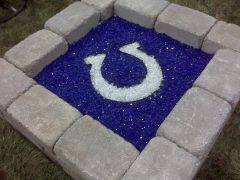
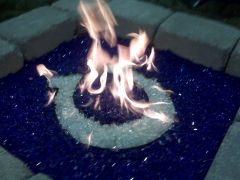 Made a colts fire pit with glass and stainless horseshoe tray...turned out pretty cool. Had a little help from my buddy Darren with the burner setup.
 -
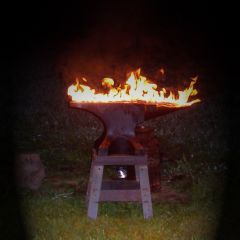 That would make a killer shirt....
 -
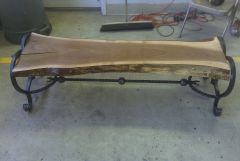 Thanks for the nice words...It was one of the easier projects i've done but still one of my favorites.. Just goes to show that it doesn't have to over complicated to be cool. No worries Mrobb you can handle it for sure...The hardest part will be getting a sweet slab of wood...Good luck
 -
Yeah...lots of chasin but almost there..Thanks for the kind words everyone. I'll post it up after it's done.